
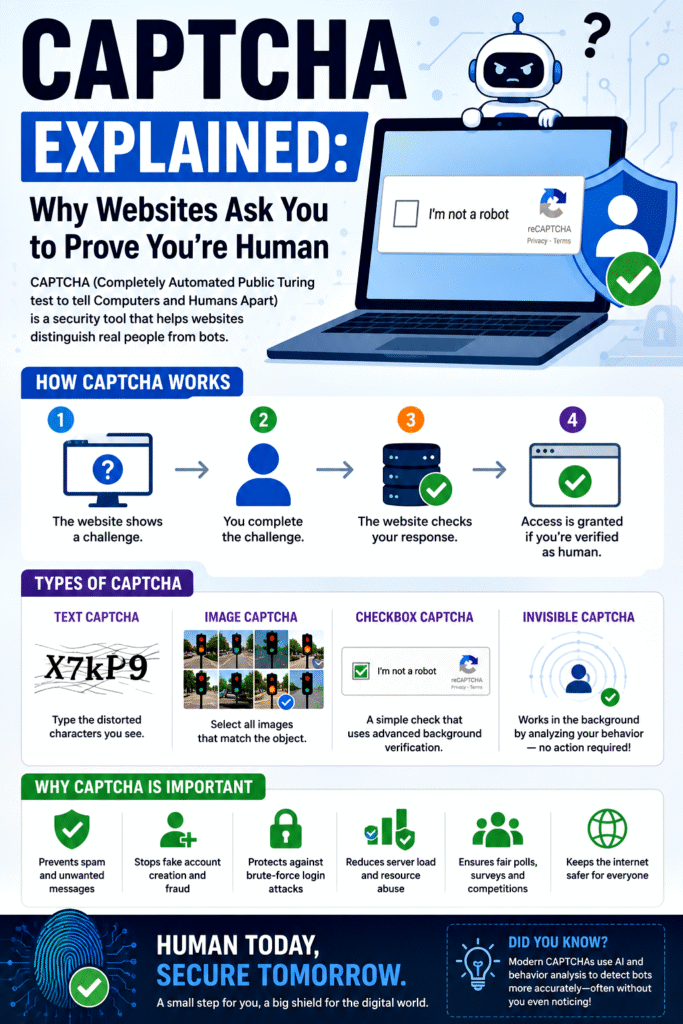
What Is CAPTCHA and Why Is It Required to Prove That You Are Human?
The internet has become an essential part of everyday life. We use websites for shopping, banking, social networking, education, and many other activities. However, the internet is also filled with automated programs, known as bots, that can perform tasks much faster than humans. Some bots are useful, but many are designed to spam websites, steal information, create fake accounts, or launch cyberattacks.
To protect websites from such automated abuse, a security mechanism called CAPTCHA was developed. CAPTCHA helps websites distinguish between real human users and computer programs.
1. What Is CAPTCHA?
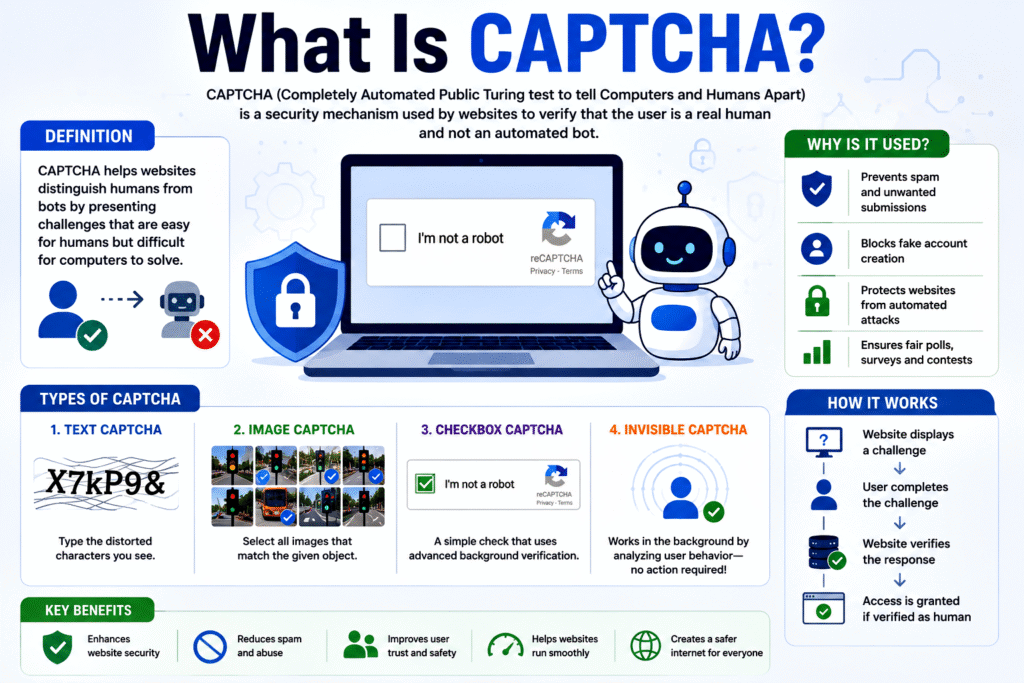
Key Point: CAPTCHA is a test designed to separate humans from bots.
CAPTCHA stands for:
Completely
Automated
Public
Turing test to tell
Computers and
Humans
Apart
The concept is based on the famous Turing Test, proposed by Alan Turing. The goal is to determine whether a machine can behave like a human.
A CAPTCHA presents a challenge that is usually easy for humans but difficult for automated software to solve. Before submitting a form, creating an account, or logging in, users may need to complete a CAPTCHA test.
Examples include:
- Identifying objects in images
- Typing distorted text
- Clicking a checkbox
- Solving a simple puzzle
The website then verifies the response before allowing the action to proceed.
2. Why Was CAPTCHA Created?
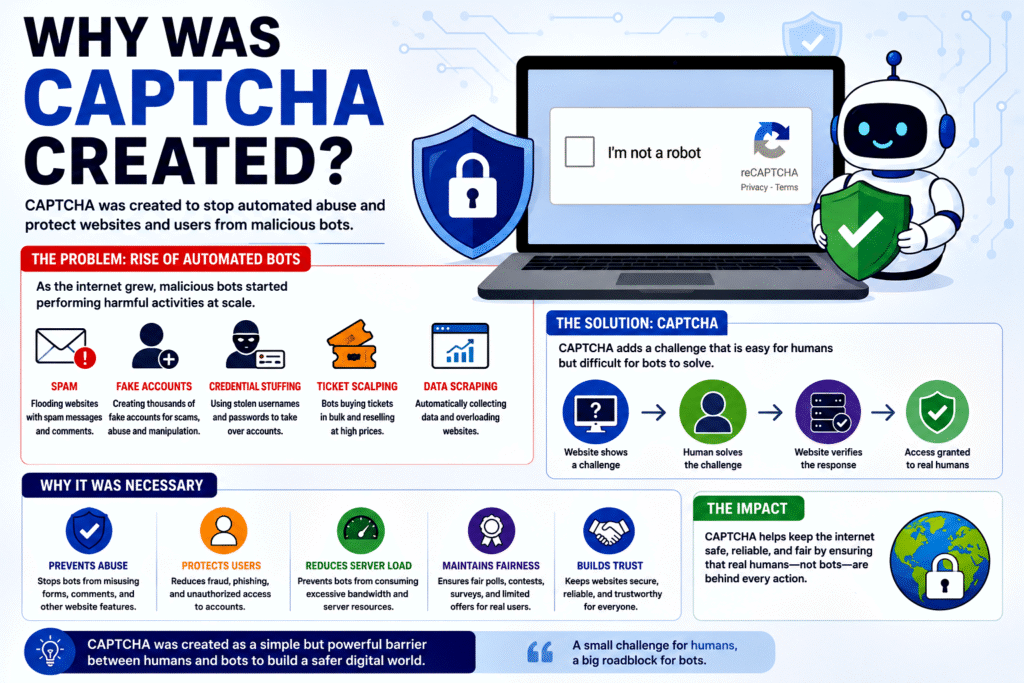
Key Point: CAPTCHA was created to stop automated abuse.
As the internet grew, website owners faced problems such as:
- Spam comments
- Fake registrations
- Automated attacks
- Ticket scalping
- Credential stuffing
Bots could perform these actions thousands of times per minute, overwhelming websites and causing significant damage.
CAPTCHA was introduced as a barrier that slows down or blocks automated software while allowing legitimate users to continue.
Without CAPTCHA, many websites would become vulnerable to abuse and fraud.
3. What Is a Bot?
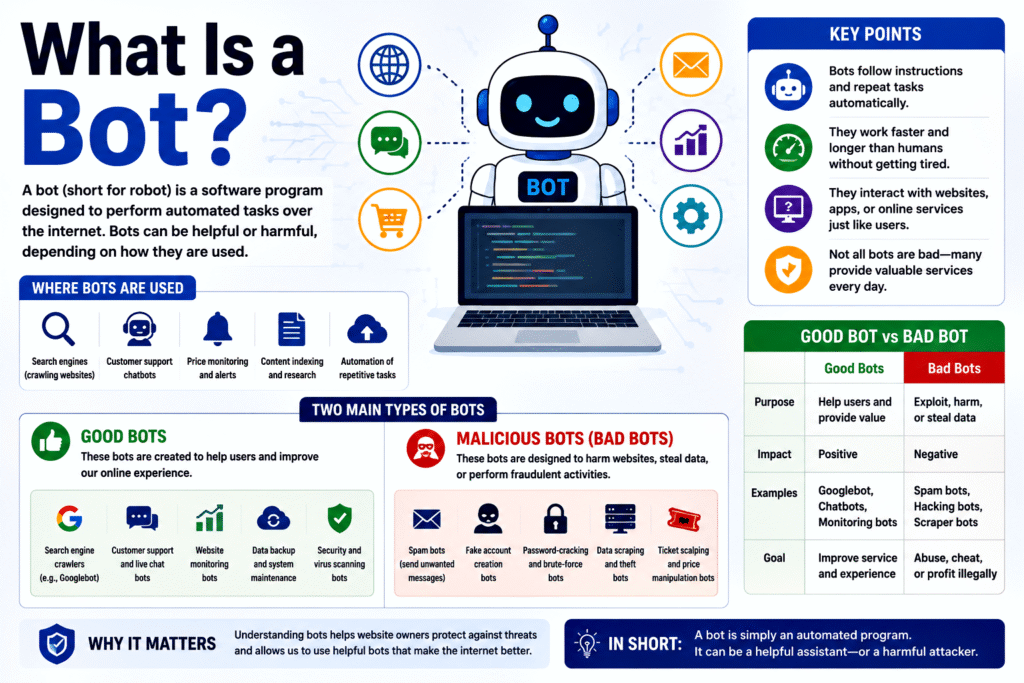
Key Point: Bots are automated programs that perform tasks online.
A bot is a software application programmed to carry out specific tasks automatically.
There are two main categories:
Good Bots
Examples include:
- Search engine crawlers
- Website monitoring tools
- Customer support automation
These bots help websites function properly.
Malicious Bots
Examples include:
- Spam bots
- Fake account generators
- Password-cracking bots
- Data-scraping bots
These bots can cause serious problems for website owners and users.
CAPTCHA mainly targets malicious bots.
4. How Does CAPTCHA Work?
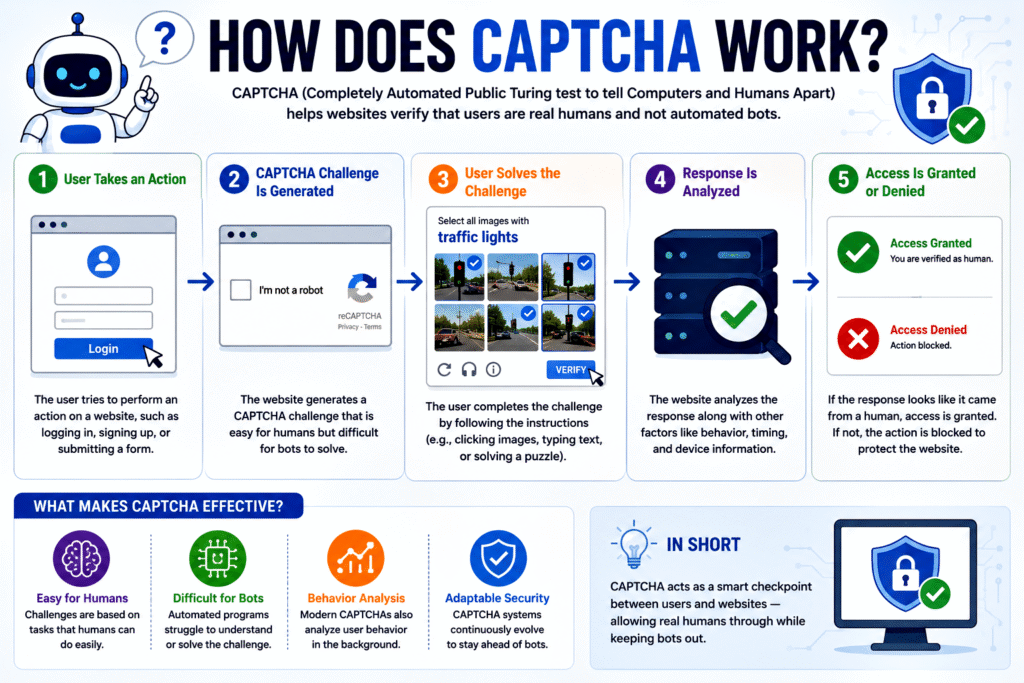
Key Point: CAPTCHA presents a challenge that humans can solve more easily than machines.
When a user performs an action, the website:
- Generates a CAPTCHA challenge.
- Displays it to the user.
- Evaluates the response.
- Allows or blocks access based on the result.
The system assumes that a real person can understand context, recognize patterns, and interact naturally, whereas many automated programs struggle with these tasks.
This creates a security checkpoint between users and the website.
5. Distorted Text CAPTCHA
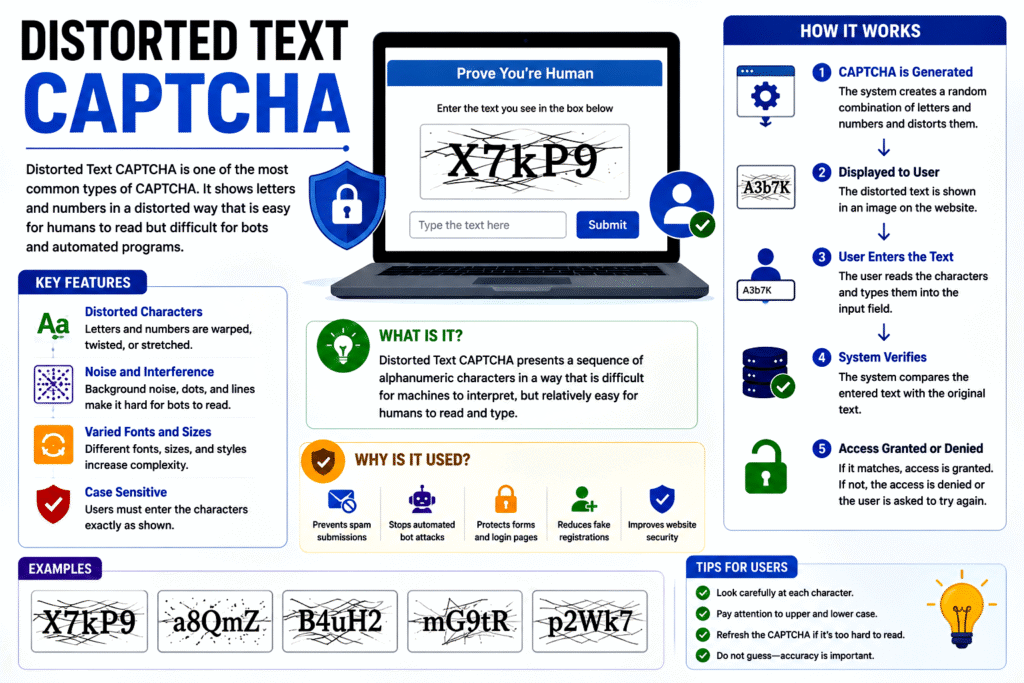
Key Point: Early CAPTCHAs relied on recognizing distorted characters.
One of the earliest forms displayed letters and numbers that were:
- Twisted
- Warped
- Overlapping
- Noisy
Users had to type the characters correctly.
Example:
X7kP9
The text might appear distorted, making it difficult for automated optical character recognition systems.
Although effective initially, advances in artificial intelligence have made these CAPTCHAs easier for machines to solve.
6. Image-Based CAPTCHA
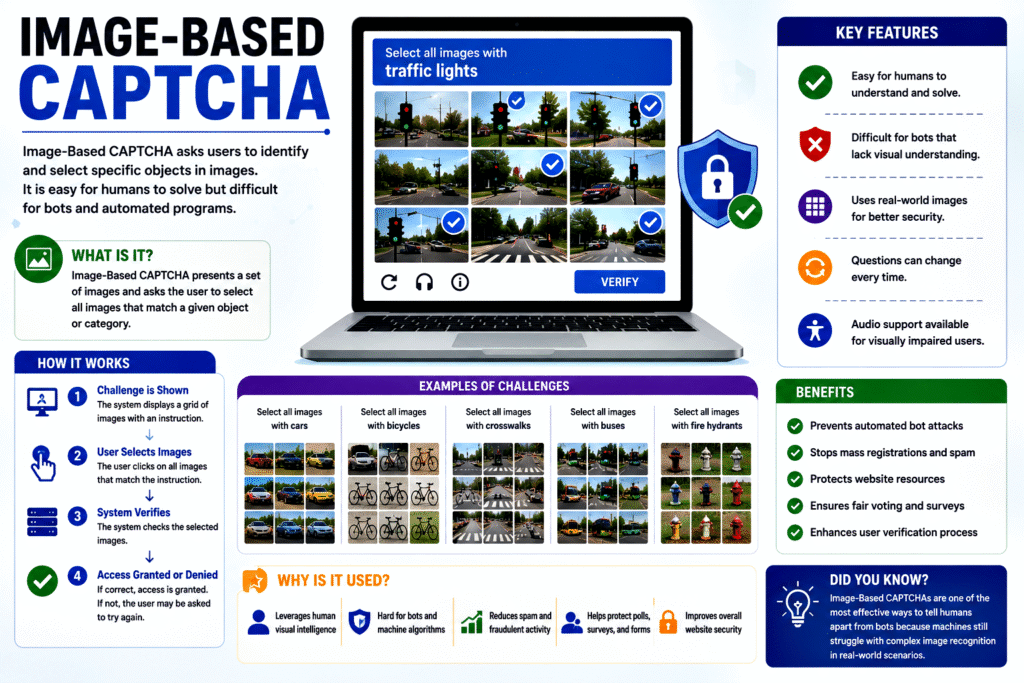
Key Point: Image recognition tests are harder for many bots.
Image CAPTCHAs ask users to identify objects such as:
- Cars
- Bicycles
- Traffic lights
- Crosswalks
- Buses
For example:
“Select all images containing traffic lights.”
Humans can usually recognize these objects quickly because our brains excel at visual interpretation.
Image-based CAPTCHAs are widely used because they leverage human visual intelligence.
7. Checkbox CAPTCHA
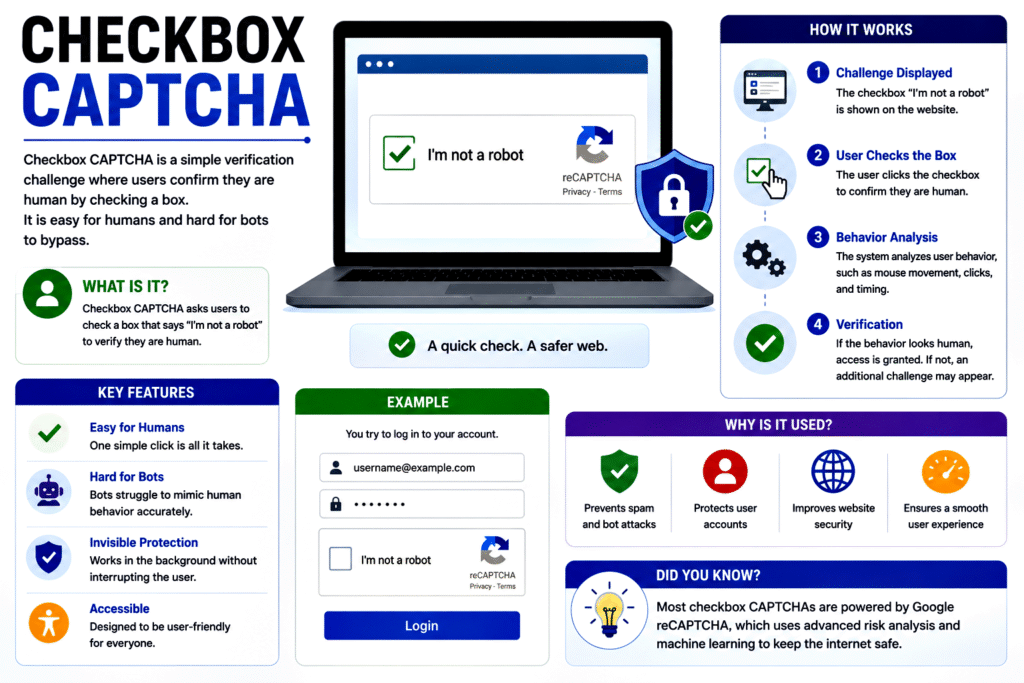
Key Point: Modern systems analyze user behavior, not just clicks.
Many users have seen the familiar:
“I’m not a robot”
checkbox.
Interestingly, clicking the box alone is not the test.
The system may analyze:
- Mouse movements
- Typing patterns
- Click timing
- Browsing behavior
Human interactions tend to appear natural and unpredictable, while bots often exhibit highly regular patterns.
This allows the system to assess whether the user is likely human.
8. Invisible CAPTCHA
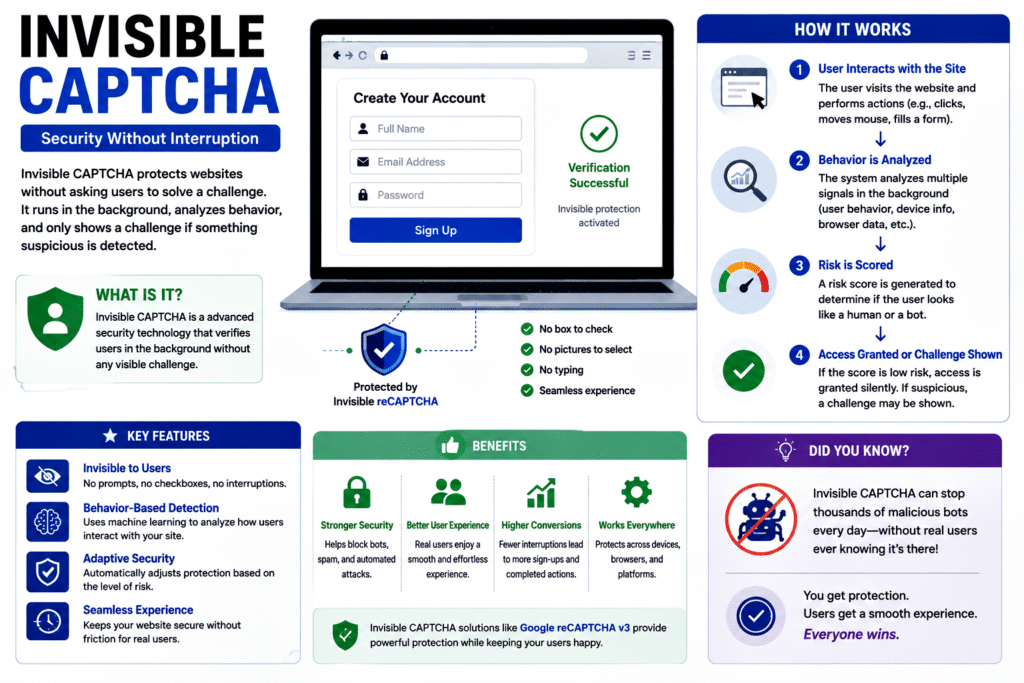
Key Point: Some CAPTCHAs work without user interaction.
Modern websites often use invisible CAPTCHA systems.
These systems monitor factors such as:
- Device characteristics
- Browser behavior
- Navigation patterns
- Network signals
If the system believes the user is human, no challenge is shown.
Only suspicious activity triggers additional verification.
This improves user experience while maintaining security.
9. Why Websites Need CAPTCHA
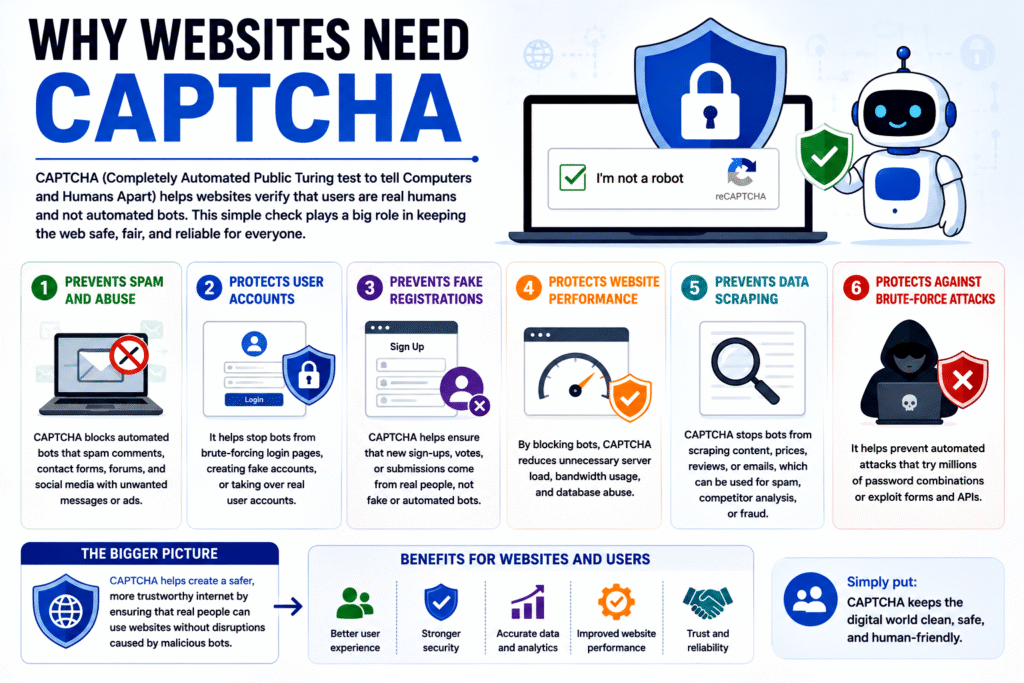
Key Point: CAPTCHA protects websites from abuse.
CAPTCHA helps websites:
- Prevent spam
- Block fake accounts
- Reduce fraud
- Protect resources
- Improve security
Without CAPTCHA, automated attacks could overwhelm many online services.
For this reason, CAPTCHA has become a standard security tool across the web.
10. Preventing Spam
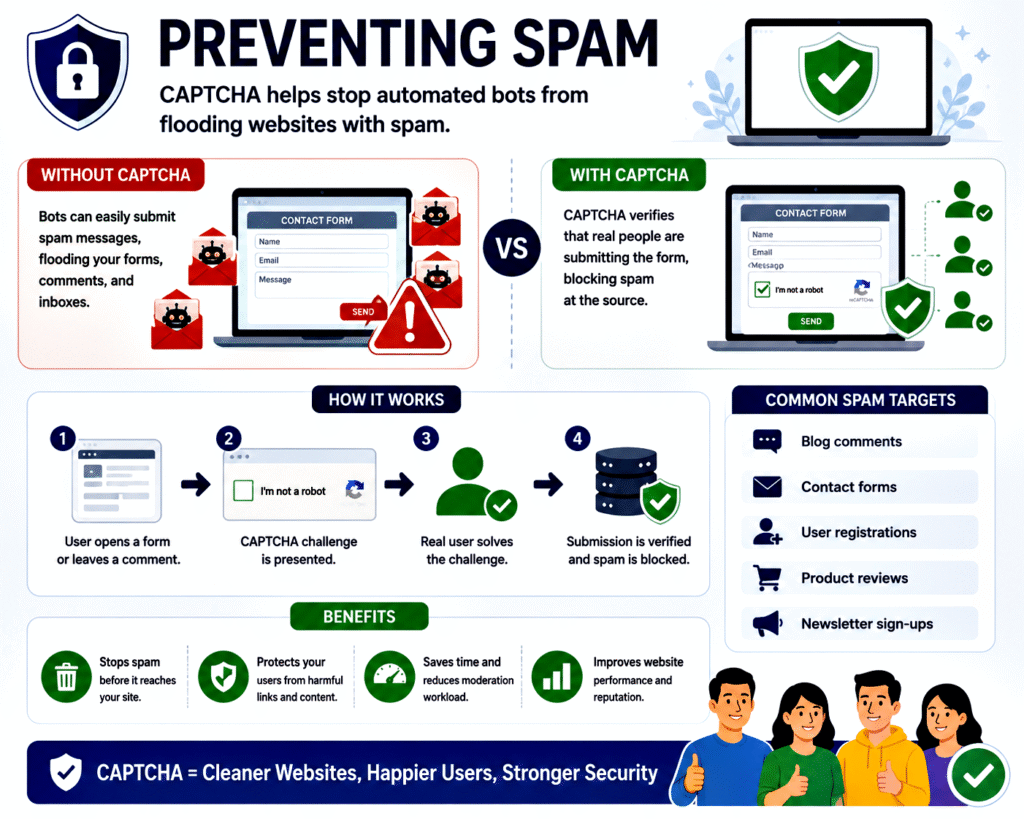
Key Point: CAPTCHA significantly reduces unwanted content.
Spam bots often target:
- Blog comments
- Forums
- Contact forms
- Online surveys
A single bot can submit thousands of spam messages within minutes.
CAPTCHA forces the bot to solve a challenge before posting.
Since many bots cannot solve the challenge, spam is greatly reduced.
11. Preventing Fake Account Creation
Key Point: CAPTCHA stops mass account generation.
Malicious users often create fake accounts for:
- Scams
- Advertising
- Manipulating reviews
- Spreading misinformation
Automated software can create thousands of accounts rapidly.
CAPTCHA slows this process by requiring human verification.
This helps maintain the quality and trustworthiness of online communities.
12. Protecting Online Polls and Surveys
Key Point: CAPTCHA ensures fair voting.
Without CAPTCHA, bots could repeatedly vote in:
- Polls
- Competitions
- Surveys
This would distort results and undermine fairness.
CAPTCHA helps ensure that votes come from real people rather than automated systems.
13. Defending Against Password Attacks
Key Point: CAPTCHA helps stop automated login attempts.
Cybercriminals often use bots to guess passwords.
Common attacks include:
- Brute-force attacks
- Credential stuffing
- Automated login attempts
CAPTCHA can appear after multiple failed login attempts.
This forces the attacker to solve challenges before continuing.
As a result, large-scale automated attacks become much harder.
14. Reducing Resource Abuse
Key Point: CAPTCHA prevents excessive automated usage.
Bots can consume large amounts of:
- Bandwidth
- Server processing power
- Storage resources
This can slow down websites for legitimate users.
CAPTCHA limits automated activity and helps preserve system performance.
15. Improving Website Security
Key Point: CAPTCHA adds an extra layer of defence.
CAPTCHA is not a complete security solution.
However, it works alongside:
- Firewalls
- Encryption
- Authentication systems
- Security monitoring tools
Together, these measures create a stronger security environment.
CAPTCHA acts as one important layer in a multi-layered defence strategy.
16. Challenges Faced by CAPTCHA
Key Point: CAPTCHA is not perfect.
Modern artificial intelligence has become increasingly capable of solving CAPTCHA challenges.
Some bots can:
- Recognize images
- Read distorted text
- Mimic human behavior
As technology evolves, CAPTCHA systems must continually improve to remain effective.
This creates an ongoing competition between security developers and attackers.
17. Accessibility Concerns
Key Point: Some users may find CAPTCHA difficult.
People with:
- Visual impairments
- Cognitive disabilities
- Motor impairments
may struggle with certain CAPTCHA types.
To address this issue, websites often provide:
- Audio CAPTCHAs
- Alternative verification methods
- Accessibility-friendly designs
The goal is to maintain security without excluding legitimate users.
18. The Future of CAPTCHA
Key Point: Future systems may rely more on behavioural analysis.
Modern security systems increasingly use:
- Artificial intelligence
- Risk scoring
- Device fingerprinting
- Behavioural analytics
Instead of requiring users to solve puzzles, websites may analyse behaviour in the background.
This could provide stronger security while reducing inconvenience.
Many experts believe future human-verification systems will become nearly invisible.
Conclusion
CAPTCHA is a security technology designed to distinguish humans from automated computer programs. It serves as a protective barrier against spam, fake registrations, password attacks, fraudulent activities, and many other forms of online abuse. Whether it appears as distorted text, image recognition tasks, checkboxes, or invisible behavioural analysis, the primary purpose remains the same: to verify that a real human is interacting with the website.
In today’s digital world, where automated bots can perform millions of actions in a short period, CAPTCHA plays a crucial role in maintaining the security, reliability, and fairness of online services. Although advances in artificial intelligence continue to challenge traditional CAPTCHA methods, it remains one of the most widely used tools for protecting websites and ensuring that the internet remains a safer place for genuine users.