
How Bluetooth Works
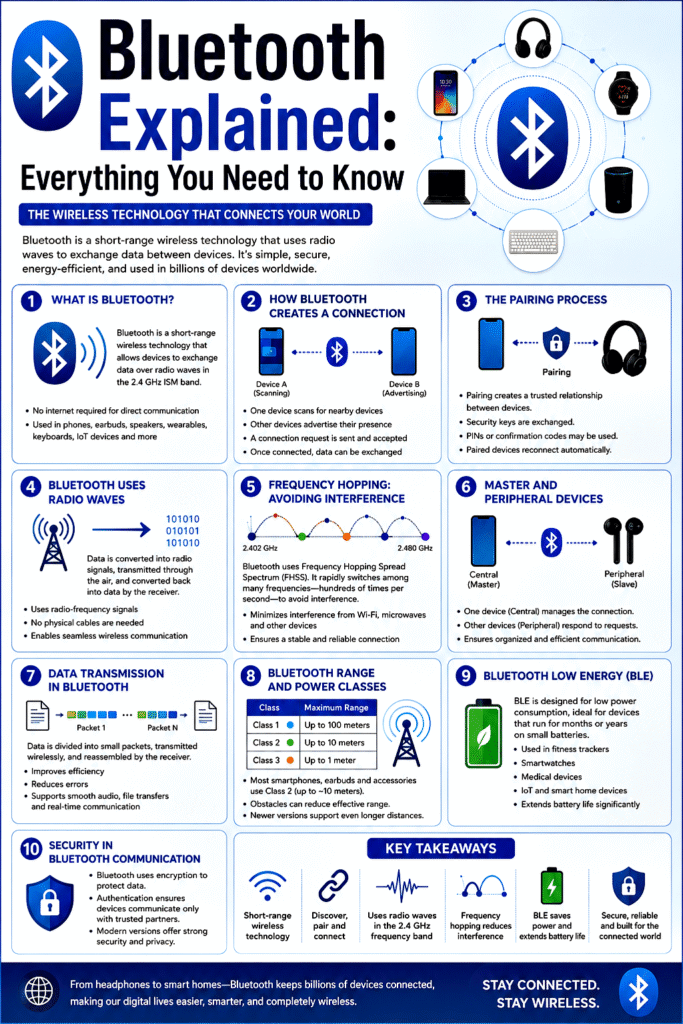
Bluetooth is a wireless communication technology that allows devices to exchange data over short distances without using cables. It is commonly used in smartphones, headphones, speakers, keyboards, smartwatches, cars, and many Internet of Things (IoT) devices. Developed to replace wired connections, Bluetooth has become one of the most widely used wireless technologies in the world.
1. What Is Bluetooth?
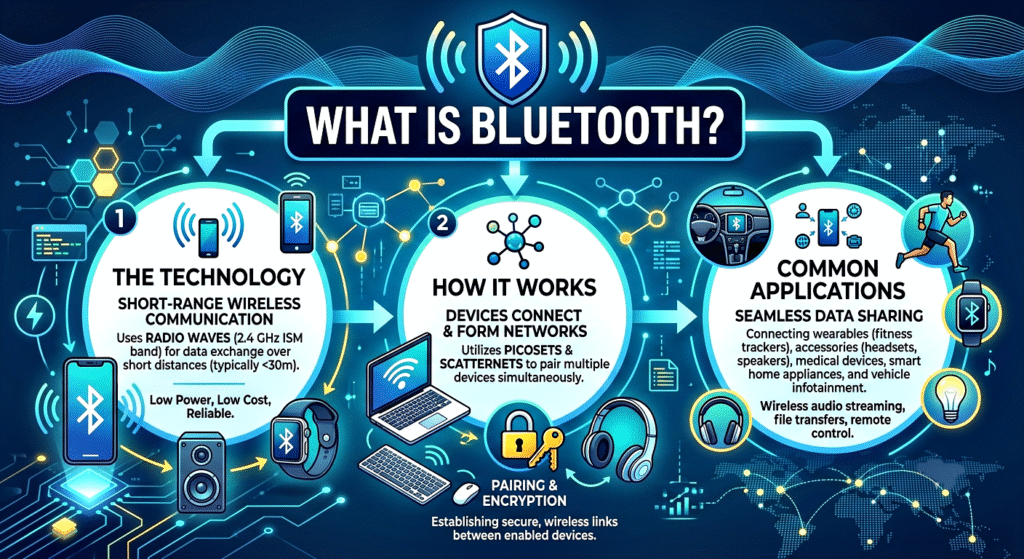
Bluetooth is a short-range wireless technology that uses radio waves to transmit data between devices. It operates in the 2.4 GHz Industrial, Scientific, and Medical (ISM) radio band, which is available worldwide without requiring a license.
The technology was first developed in the 1990s and has evolved through multiple versions, improving speed, range, power efficiency, and security.
Key Points:
- Bluetooth enables wireless communication between devices.
- It operates in the 2.4 GHz frequency band.
- No internet connection is required for direct device-to-device communication.
- Used in headphones, speakers, smartphones, wearables, and smart home devices.
2. How Bluetooth Creates a Wireless Connection
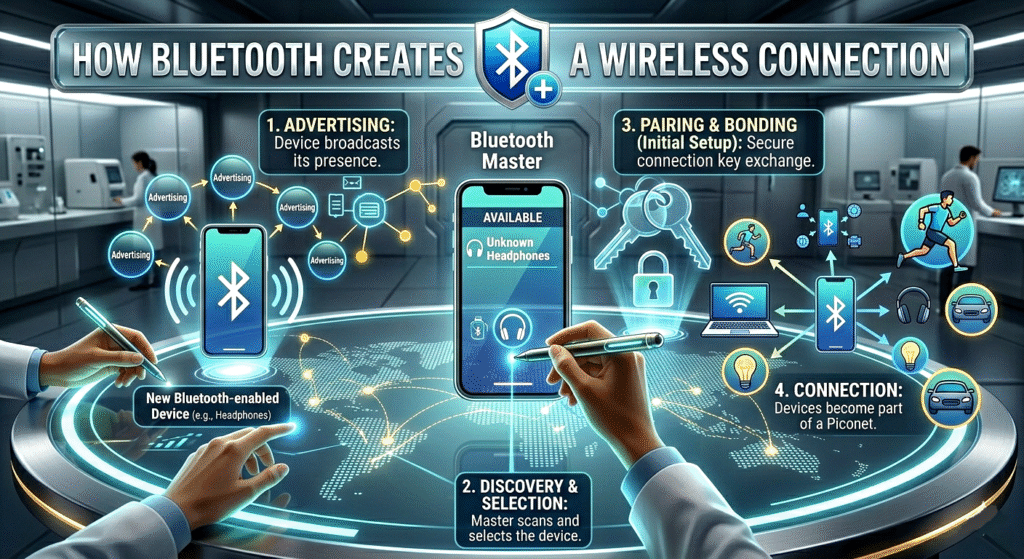
Before two Bluetooth devices can communicate, they must establish a connection. This process begins when one device searches for nearby Bluetooth-enabled devices.
For example, when you turn on Bluetooth on your phone and scan for devices, the phone sends out signals looking for Bluetooth devices nearby. Devices that are discoverable respond with their identity information.
Once a device is selected, the connection process begins.
Key Points:
- Devices must first discover each other.
- One device scans while another advertises its presence.
- A connection request is sent and accepted.
- After connection, data can be exchanged wirelessly.
3. The Pairing Process
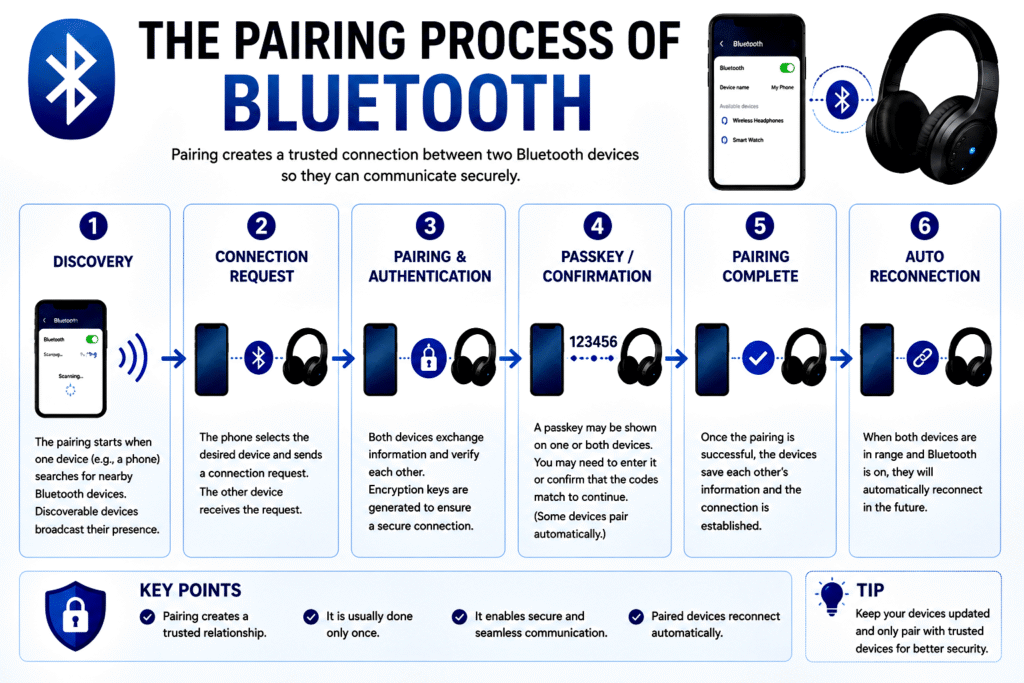
Pairing is the process of creating a trusted relationship between two Bluetooth devices. During pairing, devices exchange security information to ensure that communication is secure.
Sometimes users must enter a PIN code or confirm a matching code displayed on both devices. Once paired, devices store each other’s information and can reconnect automatically in the future.
For example, after pairing your wireless earbuds with your phone once, they usually reconnect automatically whenever they are turned on.
Key Points:
- Pairing establishes trust between devices.
- Security keys are exchanged during pairing.
- PINs or confirmation codes may be used.
- Paired devices reconnect automatically later.
4. Bluetooth Uses Radio Waves
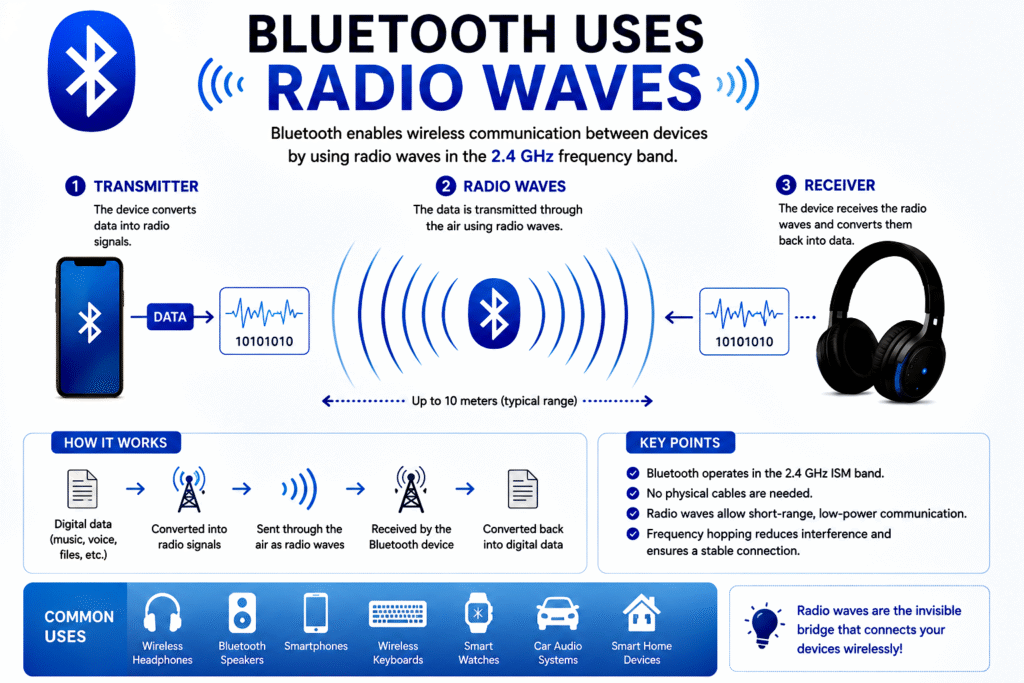
Bluetooth communicates through radio waves rather than physical cables. Radio waves are electromagnetic signals that travel through the air carrying digital information.
The transmitting device converts data into radio signals. The receiving device captures these signals and converts them back into usable data.
For instance, when music is played on a smartphone and sent to wireless headphones, the audio data is transformed into radio signals and transmitted through the air.
Key Points:
- Bluetooth uses radio-frequency signals.
- No physical cable is required.
- Data is converted into radio waves for transmission.
- The receiving device converts signals back into digital data.
5. Frequency Hopping: Avoiding Interference
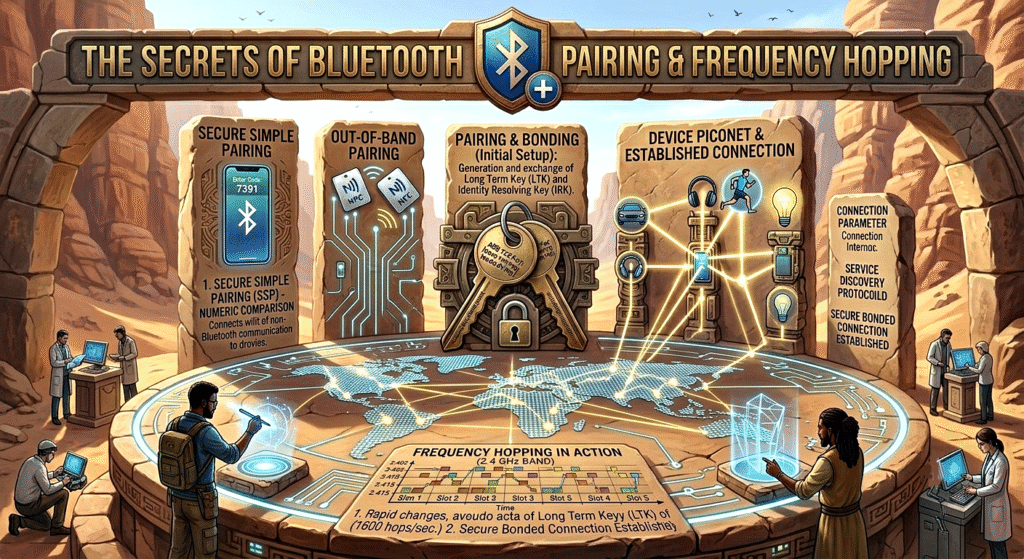
One of Bluetooth’s most innovative features is Frequency Hopping Spread Spectrum (FHSS). Instead of staying on a single radio frequency, Bluetooth rapidly switches among multiple frequencies.
Bluetooth can hop hundreds or even thousands of times per second. This helps avoid interference from Wi-Fi networks, microwaves, and other devices operating in the same frequency range.
If interference occurs on one channel, Bluetooth quickly moves to another.
Key Points:
- Bluetooth constantly changes frequencies.
- This process is called frequency hopping.
- Reduces signal interference.
- Improves connection reliability and stability.
6. Master and Peripheral Devices
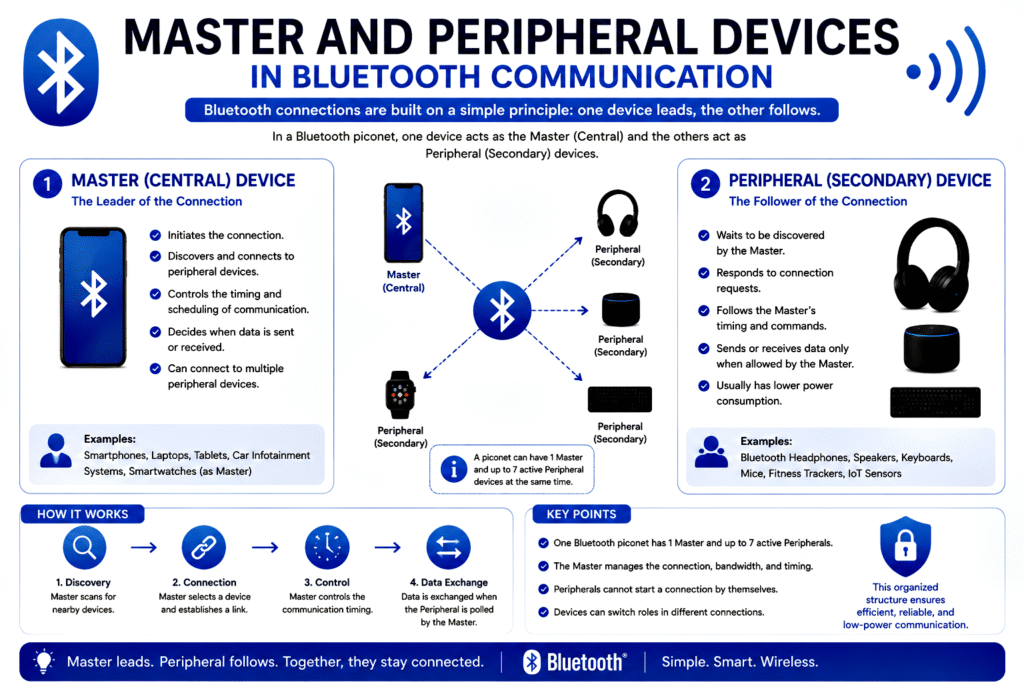
In a Bluetooth connection, devices typically take on different roles. Traditionally, one device acts as the controller (master), while the other acts as the peripheral (slave).
The controlling device manages communication timing and synchronisation.
For example:
- Smartphone → Controller
- Wireless Earbuds → Peripheral
Modern Bluetooth versions use more flexible terminology such as Central and Peripheral devices.
Key Points:
- One device manages the connection.
- Another device responds to communication requests.
- Roles are often called Central and Peripheral.
- Ensures organised data transmission.
7. Data Transmission in Bluetooth
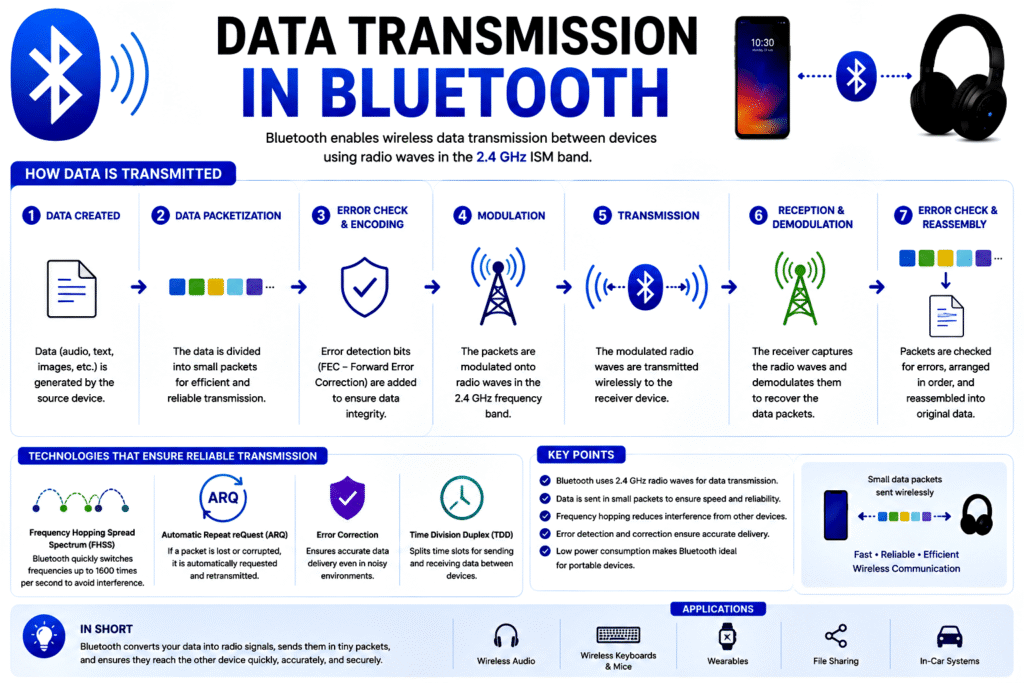
After a connection is established, data can be transmitted in small packets. These packets contain information such as audio, files, commands, or sensor data.
Bluetooth divides large amounts of information into smaller packets and sends them sequentially. The receiving device reassembles the packets into the original data.
This method improves efficiency and reduces transmission errors.
Key Points:
- Data is divided into packets.
- Packets are transmitted wirelessly.
- The receiving device reconstructs the original data.
- Helps improve transmission efficiency.
8. Bluetooth Range and Power Classes
Bluetooth devices are categorized into different power classes, which determine their communication range.
| Class | Maximum Range |
| Class 1 | Up to 100 meters |
| Class 2 | Up to 10 meters |
| Class 3 | Up to 1 meter |
Most smartphones, earbuds, and keyboards use Class 2 Bluetooth, providing a practical range of approximately 10 meters.
Newer Bluetooth versions can achieve even greater ranges under ideal conditions.
Key Points:
- Range depends on device power level.
- Most consumer devices operate within 10 meters.
- Obstacles can reduce effective range.
- Newer Bluetooth versions support longer distances.
9. Bluetooth Low Energy (BLE)
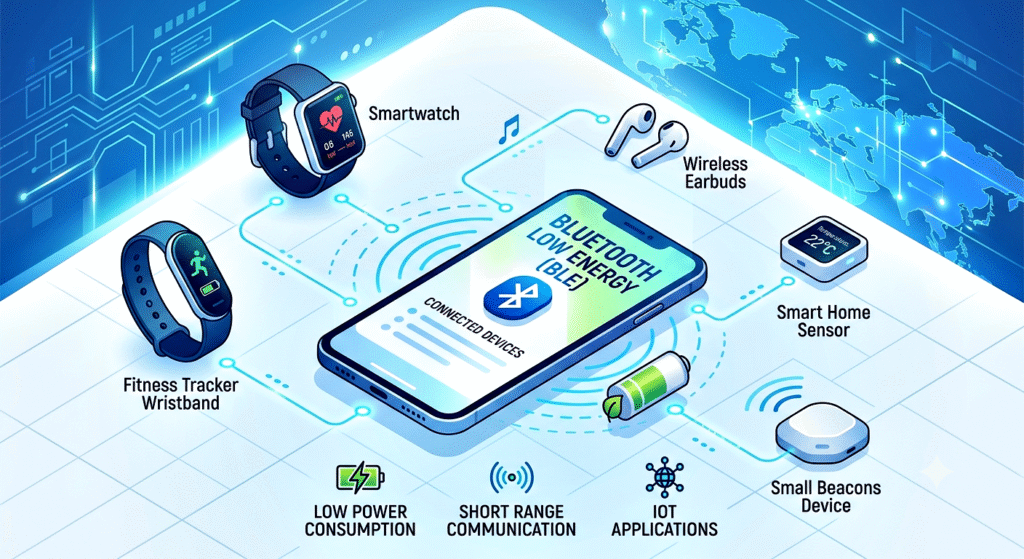
Bluetooth Low Energy (BLE) was introduced to reduce power consumption. BLE is designed for devices that need to operate for months or years on small batteries.
Smartwatches, fitness trackers, medical sensors, and smart home devices commonly use BLE.
Instead of maintaining constant communication, BLE devices wake up only when needed, transmit data, and return to sleep mode.
Key Points:
- BLE is designed for low power consumption.
- Ideal for battery-operated devices.
- Used in fitness trackers and IoT devices.
- Extends battery life significantly.
10. Security in Bluetooth Communication
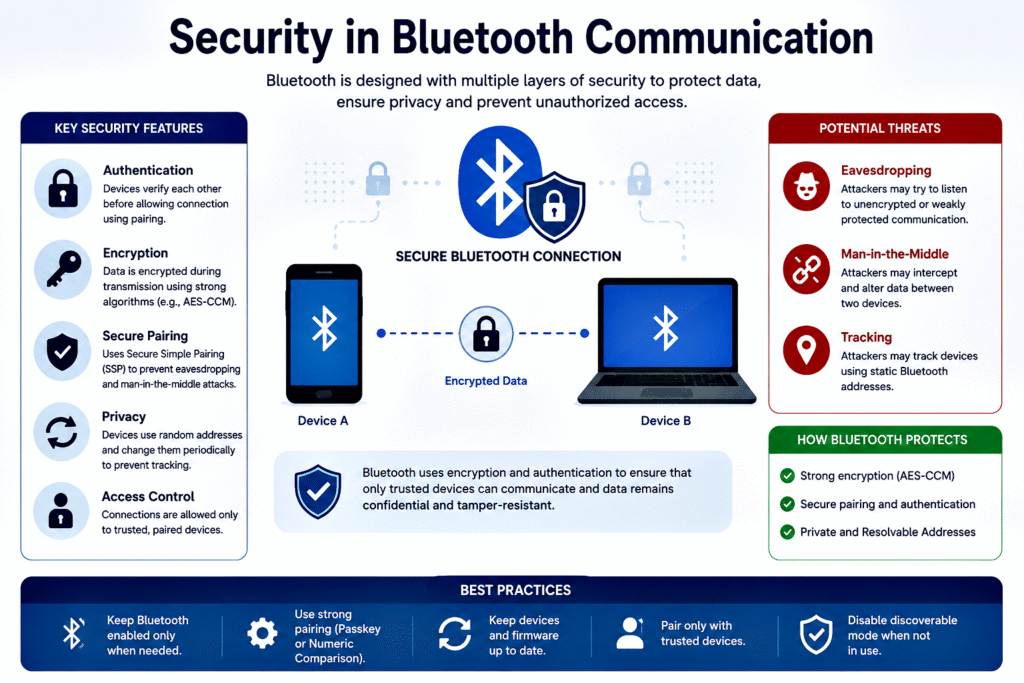
Security is an important part of Bluetooth technology. Modern Bluetooth uses encryption and authentication methods to protect data.
Encryption converts information into coded data that unauthorized users cannot easily read. Authentication ensures devices communicate only with trusted partners.
Although Bluetooth is generally secure, users should avoid pairing with unknown devices and keep device software updated.
Key Points:
- Bluetooth uses encryption to protect data.
- Authentication verifies device identity.
- Modern versions offer stronger security.
- Users should pair only with trusted devices.
Conclusion
Bluetooth has revolutionised wireless communication by allowing devices to exchange data without cables. It works by using radio waves in the 2.4 GHz frequency band, discovering nearby devices, pairing securely, and transmitting data through packet-based communication. Features such as frequency hopping, Bluetooth Low Energy, and advanced encryption make it reliable, efficient, and secure.
Final Key Takeaways:
- Bluetooth is a short-range wireless communication technology.
- It uses radio waves in the 2.4 GHz frequency band.
- Devices must discover and pair before communication.
- Frequency hopping minimises interference.
- Data is sent in small packets for efficiency.
- Bluetooth Low Energy extends battery life.
- Modern Bluetooth provides strong security and reliability.
- It powers countless devices, from headphones to smart home systems.
Bluetooth continues to evolve, enabling faster, more energy-efficient, and more secure wireless connections that play a crucial role in our increasingly connected world.