
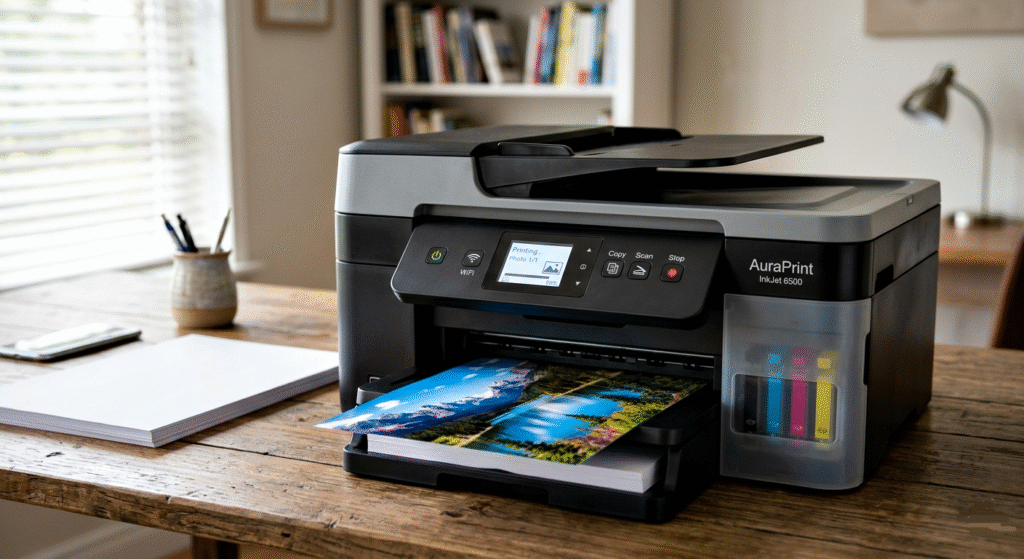
How an Inkjet Printer Works
Introduction
An inkjet printer is one of the most commonly used printing devices in homes, schools, and offices. It prints text and images by spraying tiny droplets of liquid ink onto paper. Inkjet printers are popular because they are affordable, compact, easy to use, and capable of producing high-quality colour prints.
Unlike laser printers, which use toner powder and heat, inkjet printers rely on microscopic ink droplets that are carefully controlled by electronic signals. Modern inkjet printers can print documents, photographs, graphics, and even labels with impressive detail and colour accuracy.
1. Main Parts of an Inkjet Printer
Before understanding the working process, it is important to know the major components of an inkjet printer.
(a) Ink Cartridge
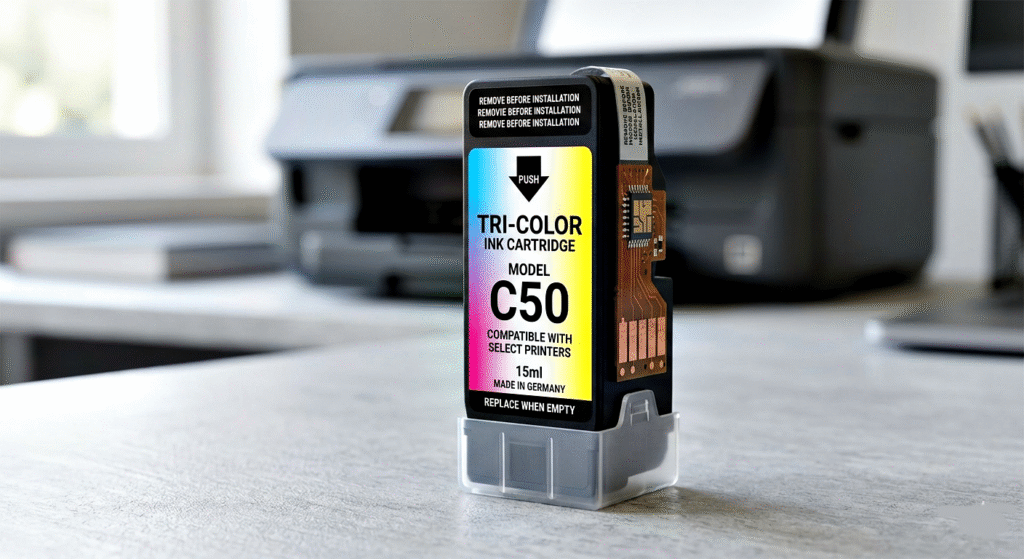
The ink cartridge stores liquid ink used for printing. Most printers use:
- Black ink cartridge
- Colour ink cartridges (Cyan, Magenta, Yellow)
Some advanced printers use additional colors for better photo quality.
Key Points
- Stores liquid ink
- Replaceable component
- Available in black and color versions
- Supplies ink to the print head
(b) Print Head
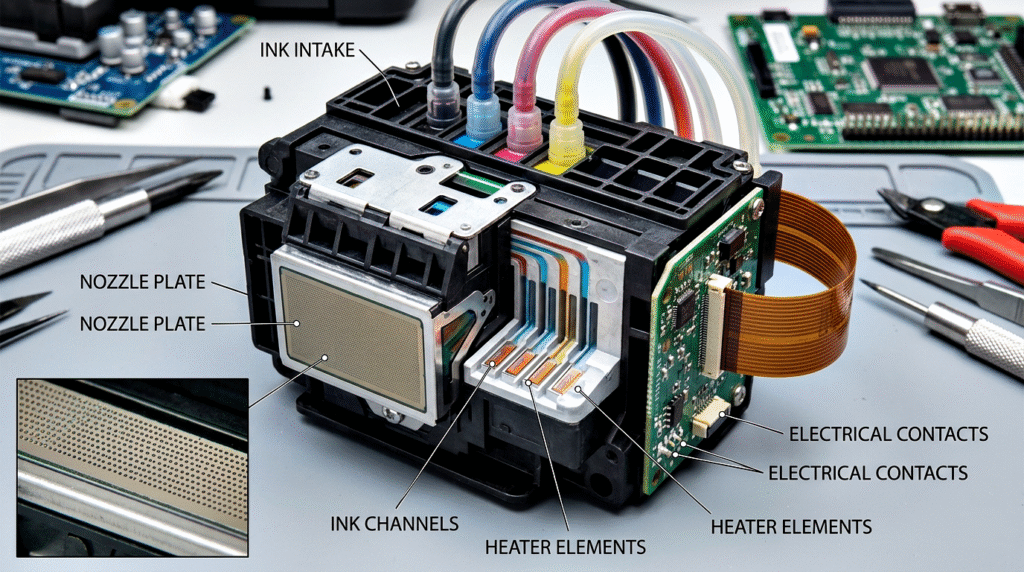
The print head is the most important part of the printer. It contains tiny nozzles that spray microscopic droplets of ink onto paper.
The print head moves from left to right and right to left across the paper during printing.
Key Points
- Contains hundreds of tiny nozzles
- Sprays ink droplets accurately
- Moves rapidly across the paper
- Controls print quality and precision
(c) Paper Feed Rollers
These rollers pull the paper into the printer and move it forward step-by-step.
Key Points
- Moves paper smoothly
- Prevents paper jams
- Ensures proper alignment
- Helps maintain print accuracy
(d) Control Circuit
The electronic control circuit acts like the brain of the printer. It receives data from the computer and controls the printing process.
Key Points
- Receives printing instructions
- Controls nozzle activity
- Synchronises print head movement
- Manages paper feeding
(e) Carriage Belt and Motor
The carriage motor moves the print head assembly across the paper.
Key Points
- Moves the print head horizontally
- Ensures smooth operation
- Controls printing speed
- Helps in accurate positioning
2. Step-by-Step Working of an Inkjet Printer
The working of an inkjet printer can be understood in several simple steps.
Step 1: Sending the Print Command
The printing process begins when the user issues a print command on a computer, smartphone, or other device.
The printer driver converts the document into a format the printer can understand.
Key Points
- User sends print command
- Printer driver processes data
- Digital information is prepared
- Printing instructions are created
Step 2: Data Processing by the Printer
The printer receives the data and its control circuit analyzes the content.
It determines:
- Which colors are needed
- Where the ink droplets must be placed
- How much ink should be sprayed
Key Points
- Printer interprets the document
- Determines color combinations
- Calculates droplet positions
- Prepares print sequence
Step 3: Paper Feeding
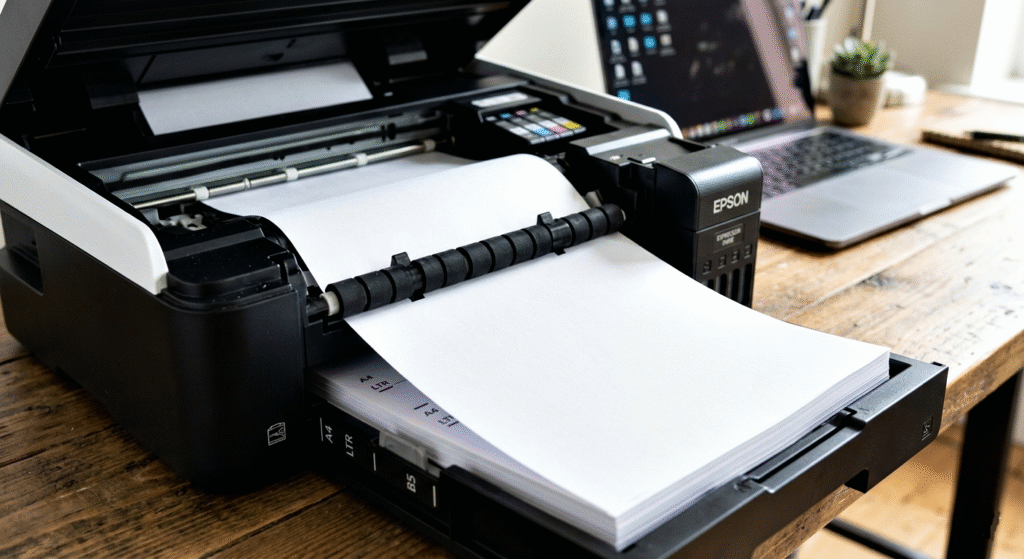
The rollers pull a sheet of paper from the paper tray into the printer.
The paper is carefully positioned under the print head.
Key Points
- Paper enters the printer
- Rollers maintain alignment
- Paper moves gradually
- Supports smooth printing
Step 4: Print Head Movement
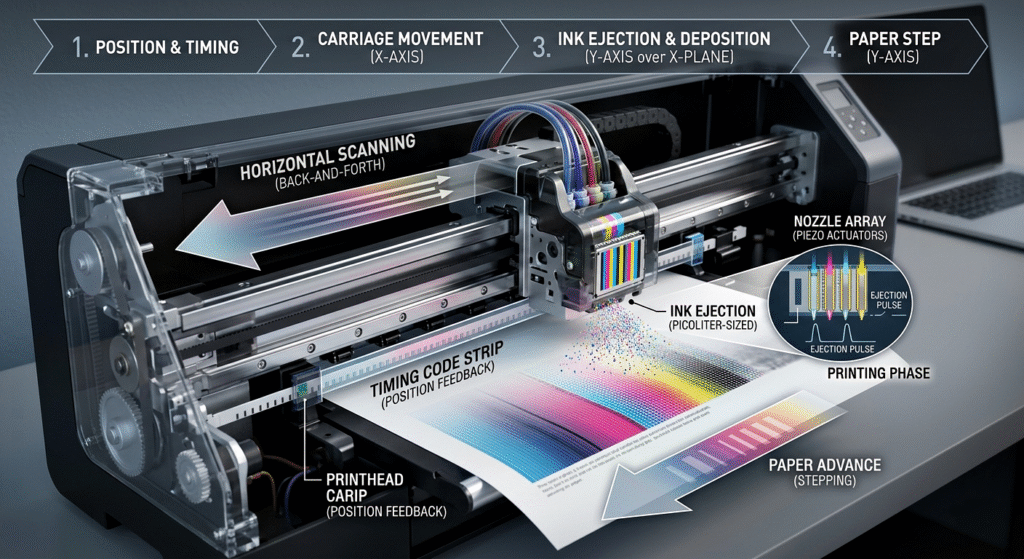
The print head starts moving horizontally across the paper.
As it moves, tiny nozzles spray microscopic ink droplets in precise locations.
The print head may move thousands of times during a single print job.
Key Points
- Print head moves rapidly
- Sprays controlled ink droplets
- Creates letters and images
- Ensures detailed printing
Step 5: Ink Droplet Formation
Inkjet printers create extremely small droplets of ink.
There are mainly two technologies used:
(a) Thermal Inkjet Technology
In thermal inkjet printers, tiny heaters rapidly heat the ink.
The heat creates a bubble that forces an ink droplet out of the nozzle.
When the bubble collapses, more ink fills the chamber.
Key Points
- Uses heat to eject ink
- Bubble formation pushes ink out
- Common in many home printers
- Fast and economical
(b) Piezoelectric Inkjet Technology
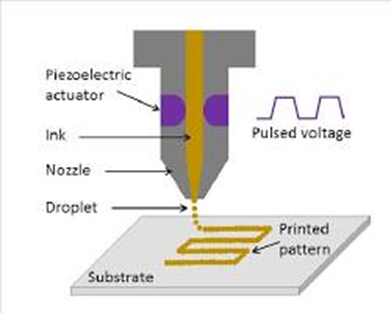
In piezoelectric printers, a piezoelectric crystal changes shape when electricity is applied.
This pressure pushes the ink droplet through the nozzle.
Key Points
- Uses electric pressure instead of heat
- More precise ink control
- Longer print head life
- Common in professional printers
3. Color Printing Process
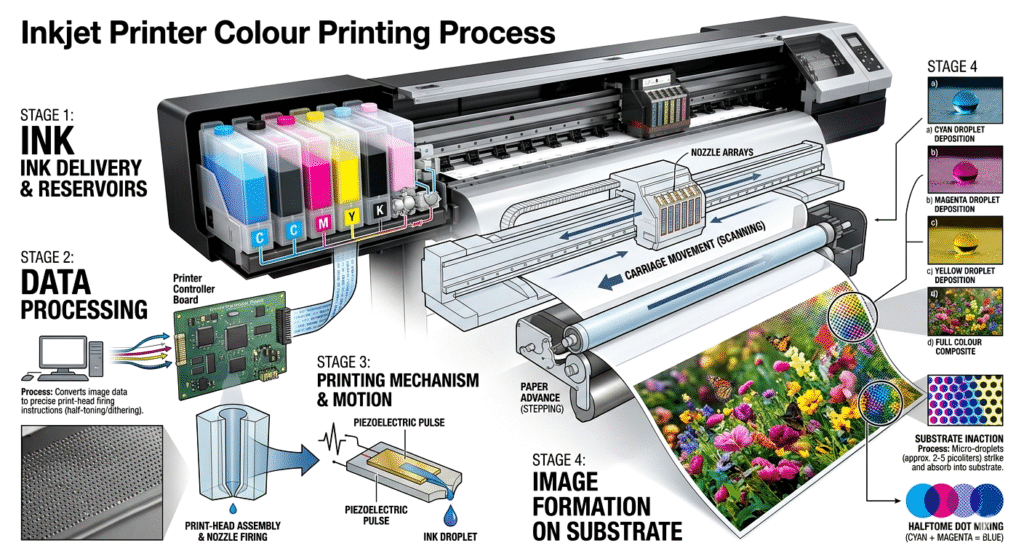
Color inkjet printers usually use the CMYK color model:
- Cyan
- Magenta
- Yellow
- Black
Different combinations of these colors create millions of shades.
For example:
- Cyan + Yellow = Green
- Magenta + Yellow = Red
- Cyan + Magenta = Blue
Key Points
- Uses CMYK color system
- Mixes colors to create images
- Produces realistic photographs
- Supports high-quality graphics
4. Drying of Ink on Paper
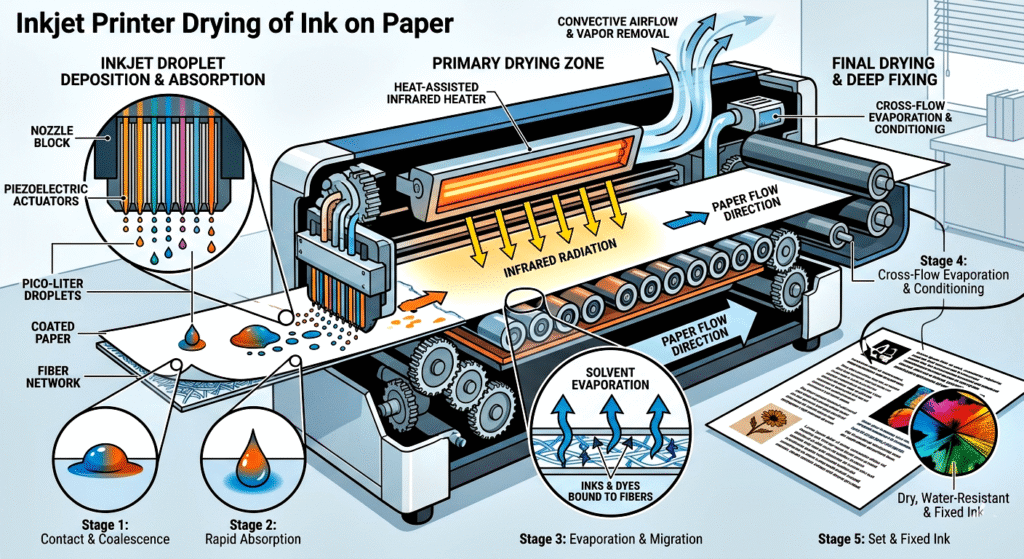
After the ink droplets land on the paper, they dry quickly.
Some papers absorb ink faster than others.
Photo paper is specially designed for better color quality and faster drying.
Key Points
- Ink dries after printing
- Paper quality affects results
- Photo paper improves image quality
- Prevents smudging
5. Types of Ink Used
Inkjet printers use different types of inks.
(a) Dye-Based Ink
This ink dissolves completely in liquid.
Advantages
- Bright colors
- Excellent photo quality
- Smooth printing
Disadvantages
- May fade over time
- Less water resistant
(b) Pigment-Based Ink
This ink contains tiny solid particles.
Advantages
- More durable
- Water resistant
- Better for documents
Disadvantages
- Slightly more expensive
- Sometimes less vibrant
6. Advantages of Inkjet Printers
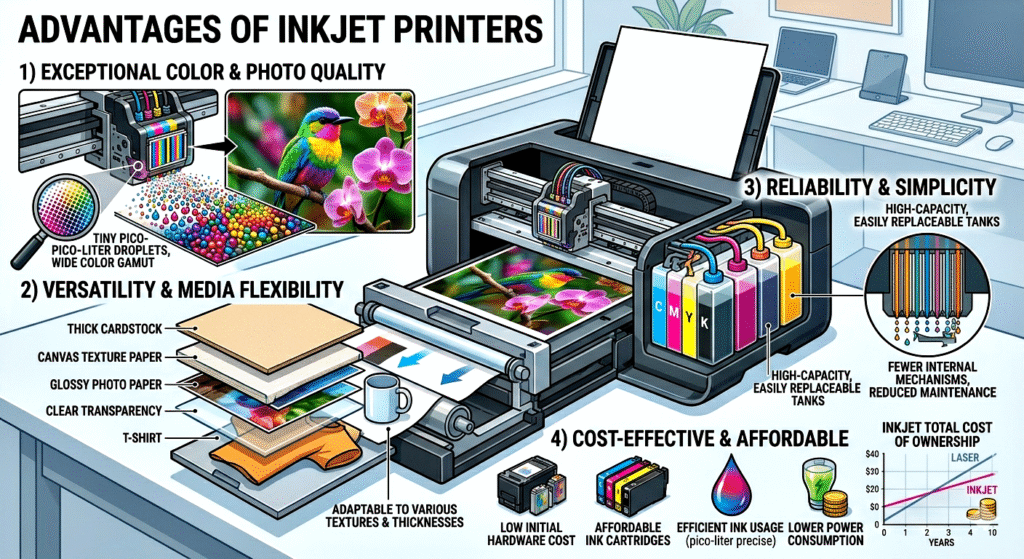
Inkjet printers are widely used because of their many benefits.
(a) High Print Quality
They produce sharp text and detailed images.
(b) Excellent Color Printing
Ideal for photographs and graphics.
(c) Compact Size
Most inkjet printers are lightweight and portable.
(d) Lower Initial Cost
Usually cheaper than laser printers.
(e) Quiet Operation
Produces less noise during printing.
Key Points
- High-quality colour output
- Affordable price
- Compact design
- Easy to operate
- Good for home use
7. Applications of Inkjet Printers
Inkjet printers are used in many areas.
Home Use
- School assignments
- Personal documents
- Photo printing
Office Use
- Reports
- Presentations
- Color charts
Commercial Use
- Poster printing
- Label printing
- Graphic design
Key Points
- Useful in homes and offices
- Good for photographs
- Used in advertising and graphics
- Suitable for small businesses
8. Difference Between Inkjet and Laser Printers
| Feature | Inkjet Printer | Laser Printer |
| Printing Method | Liquid ink droplets | Toner powder and laser |
| Best For | Photos and color prints | High-volume documents |
| Speed | Slower | Faster |
| Initial Cost | Lower | Higher |
| Print Quality | Excellent color quality | Sharp text quality |
Conclusion
An inkjet printer is an advanced yet user-friendly printing device that creates images and text by spraying tiny droplets of liquid ink onto paper. The printer works through a coordinated system involving ink cartridges, print heads, rollers, motors, and electronic controls.
The process begins when the user sends a print command. The printer processes the data, moves the paper into position, and sprays microscopic ink droplets in precise patterns to create text and images. Technologies such as thermal inkjet and piezoelectric systems ensure accurate ink delivery.
Inkjet printers are highly valued for their excellent colour printing, compact design, and affordability. Although they may have slower speeds and higher ink costs compared to laser printers, they remain one of the best choices for home users, students, photographers, and small offices.
With proper maintenance and quality materials, inkjet printers can provide reliable and high-quality printing for many years.