
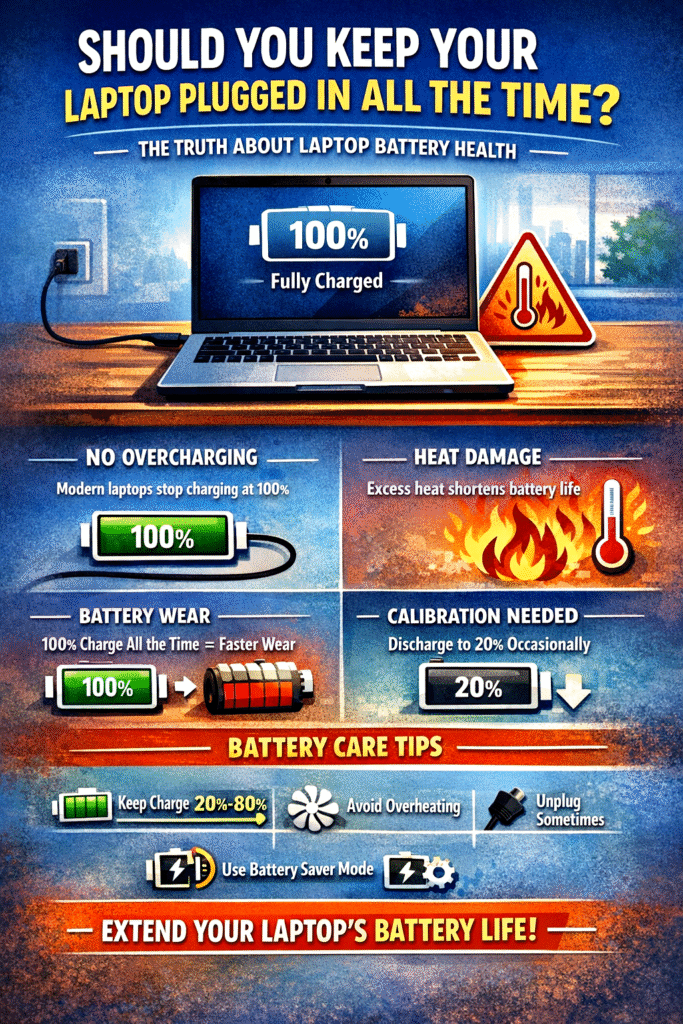
Laptop Battery Overcharging Explained: What Every User Should Know
This is one of the most common questions people have about laptops, and the short answer is: modern laptops are much smarter than we think. Still, how you use and charge your laptop can affect battery health over time. Let’s break it down clearly in five detailed points.
1. Modern Laptops Don’t “Overcharge” in the Traditional Sense
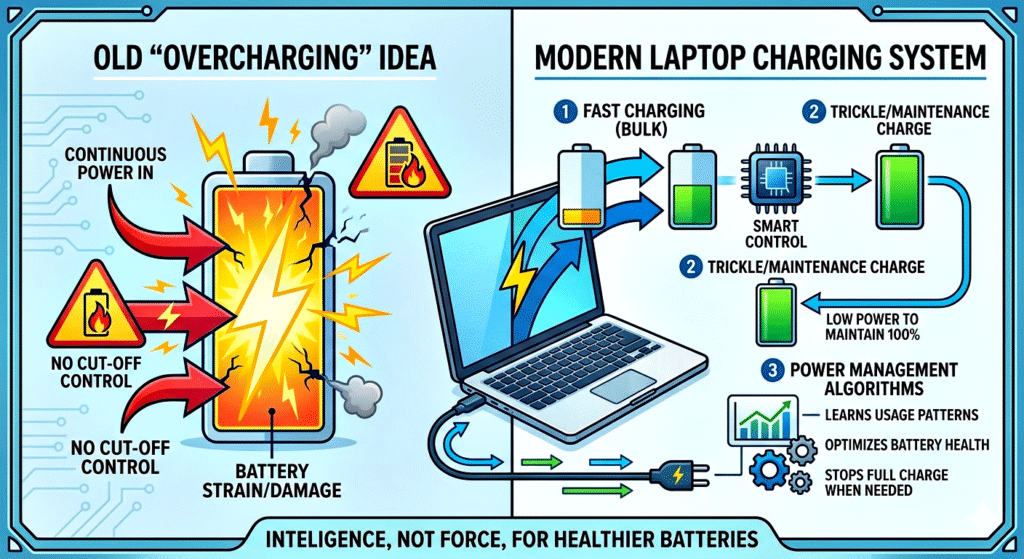
A common myth is that keeping your laptop plugged in all the time will “overcharge” the battery and damage it. This used to be somewhat true for older battery technologies, but modern laptops use lithium-ion or lithium-polymer batteries, which are designed with advanced battery management systems.
When your battery reaches 100%, the charging circuit automatically stops sending power to the battery. Instead, the laptop runs directly on AC power from the charger. This means:
- The battery is not continuously charging beyond 100%
- There is no “overflow” of electricity into the battery
- The system prevents traditional overcharging damage
However, this doesn’t mean keeping your laptop plugged in all the time is completely harmless—because other factors come into play, especially heat and battery chemistry.
2. Keeping Your Laptop Plugged In Constantly Can Still Affect Battery Health
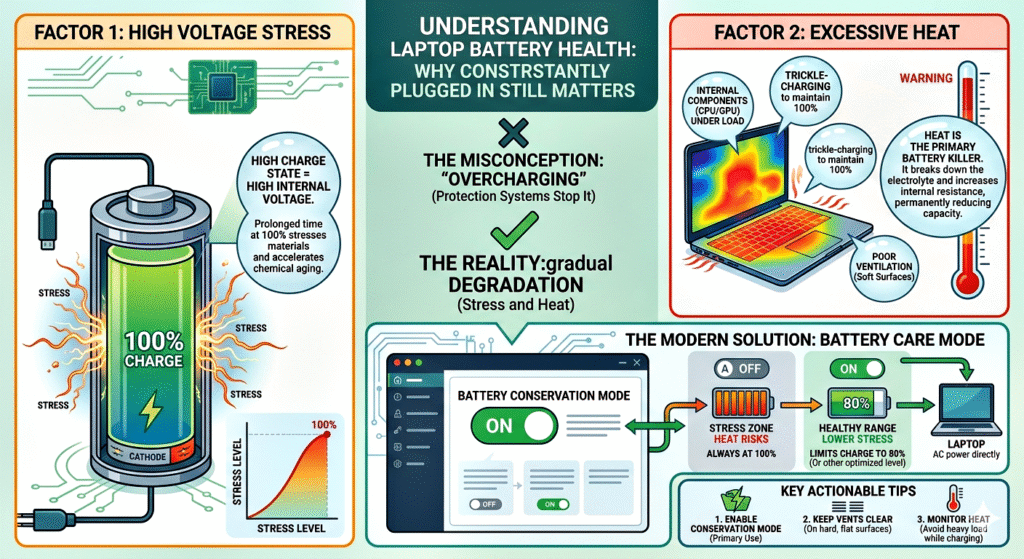
Even though overcharging isn’t an issue, keeping your battery at 100% all the time can slowly degrade it. Lithium-ion batteries prefer to stay within a mid-range charge level (around 20% to 80%) rather than being constantly full or empty.
Why is this important?
- High charge levels create chemical stress inside the battery
- This stress can reduce the battery’s ability to hold a charge over time
- Over months or years, you may notice reduced battery life
Think of it like this:
Keeping your laptop always at 100% is similar to keeping a balloon fully inflated all the time—it’s under constant pressure.
Some laptop manufacturers (like Dell, HP, Lenovo, and Apple) even include battery health management features that:
- Stop charging at 80–90%
- Learn your usage patterns
- Reduce long-term wear
So yes, while you can keep your laptop plugged in, doing so 24/7 isn’t ideal for long-term battery longevity.
3. Heat Is the Real Enemy of Laptop Batteries

If there’s one thing that truly damages your laptop battery, it’s heat—not overcharging.
When your laptop is plugged in:
- It may generate more heat (especially during heavy tasks like gaming or video editing)
- The battery sits inside the laptop, exposed to that heat
- High temperatures accelerate battery degradation
This is where problems arise:
- Constant charging + heat = faster wear
- Poor ventilation (like using a laptop on a bed or pillow) makes it worse
- Gaming while plugged in can significantly raise internal temperatures
Over time, excessive heat can lead to:
- Reduced battery capacity
- Faster discharge rates
- In extreme cases, battery swelling
Best practice:
- Use your laptop on a flat, hard surface
- Ensure proper airflow
- Avoid blocking vents
So, it’s not the charger itself—it’s the environment and heat buildup that matter more.
4. Occasional Discharging Is Good for Battery Calibration
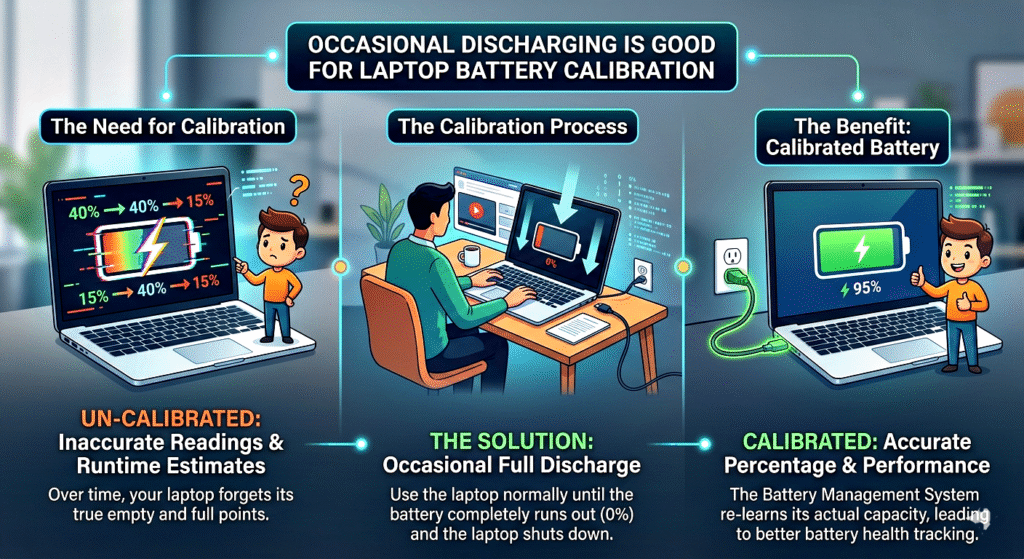
If you always keep your laptop plugged in, your battery rarely gets used. While this doesn’t immediately damage it, it can cause battery calibration issues.
What does that mean?
- The system may show incorrect battery percentages
- Your laptop might shut down suddenly even when it shows charge remaining
- Battery performance readings become unreliable
To prevent this, it’s recommended to:
- Let your battery discharge to around 20–30% occasionally
- Then recharge it back to around 80–100%
You don’t need to do this daily—once every couple of weeks is enough.
This helps:
- Keep the battery electronics calibrated
- Maintain accurate charge readings
- Ensure the battery remains active and healthy
Think of it like exercising—your battery needs occasional use to stay in good condition.
5. Best Practices: Should You Keep It Plugged In or Not?
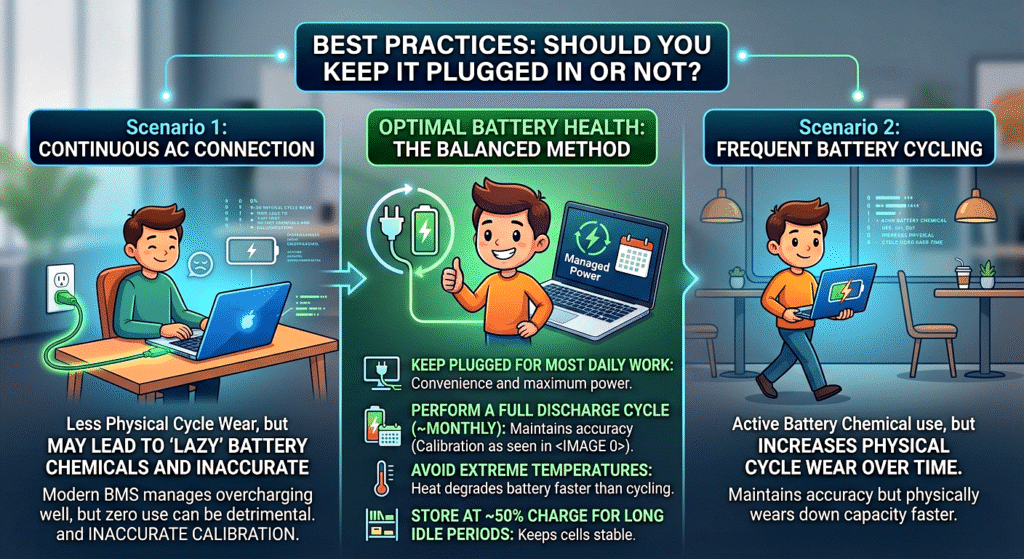
Now comes the practical answer: what should you actually do in daily life?
Here’s a balanced approach:
✔ When It’s OK to Keep It Plugged In:
- While working at a desk for long hours
- During heavy tasks (gaming, editing, coding)
- When you need maximum performance
✔ When You Should Unplug:
- Once the battery reaches around 80–100%
- When doing light tasks like browsing or watching videos
- Occasionally during the day, to let the battery cycle
✔ Ideal Battery Care Habits:
- Keep charge between 20% and 80% when possible
- Avoid letting it drop to 0% frequently
- Avoid keeping it at 100% for days continuously
- Keep your laptop cool and well-ventilated
- Use manufacturer battery optimisation settings if available
Final Verdict
- No, modern laptops do NOT get damaged by overcharging
- Yes, keeping them plugged in all the time can still reduce battery lifespan over time
- The biggest factors are heat and constant high charge levels, not overcharging itself
So, you don’t need to panic about leaving your laptop plugged in—but if you care about long-term battery health, a little mindful usage goes a long way.