
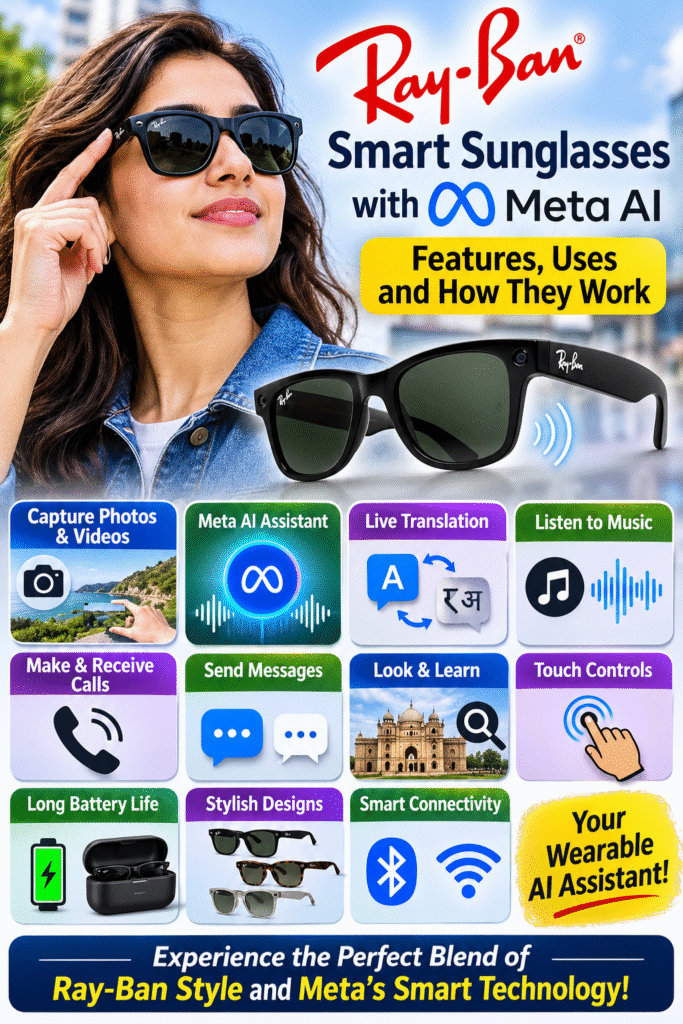
Ray-Ban Smart Glasses with Meta AI: Features, Uses and How They Work
Ray-Ban Meta Smart Glasses are smart sunglasses developed through a collaboration between Ray-Ban and Meta. They look like ordinary fashionable sunglasses but have built-in cameras, microphones, speakers, Bluetooth connectivity and artificial intelligence.
The most interesting feature is that you can interact with Meta AI simply by speaking, without taking your smartphone out of your pocket.
Let’s understand their major features and practical uses.
1. Built-in camera for photography

One of the most useful features is the built-in camera.
- 12-megapixel ultra-wide camera: It captures photographs with a wide field of view.
- Hands-free photography: You can take pictures simply by saying, “Hey Meta, take a picture.”
- First-person perspective: The camera captures what you are looking at, giving photographs a natural point-of-view effect.
- Quick capture: You don’t need to take your phone out of your pocket.
- Photo storage: Pictures are stored in the glasses and can be transferred to your smartphone.
Practical use: Travellers can capture beautiful locations, parents can capture family moments, and content creators can take photographs while keeping their hands free.
2. Video recording

The glasses can also record videos from your point of view.
- 3K Ultra HD recording: The second generation supports video recording at up to 3K resolution at 30 frames per second.
- Hands-free recording: Start and stop recording using voice commands.
- Social media content: Capture videos for Instagram, Facebook and other platforms.
- First-person videos: Record your activities as you see them.
- Improved stabilisation: Supported video modes offer improved stabilisation.
Practical use: You can record walking tours, travelling experiences, cooking demonstrations and outdoor activities without holding a camera.
3. Meta AI voice assistant

This is probably the most interesting feature.
The glasses have Meta AI, an artificial intelligence assistant that responds to voice commands.
You can activate it by saying “Hey Meta.”
Some examples:
- Ask general knowledge questions.
- Ask for explanations of complicated subjects.
- Get suggestions for restaurants and travel destinations.
- Ask for recipes and everyday recommendations.
- Set reminders and timers.
- Ask questions while performing other activities.
For example, you can ask:
“Hey Meta, explain how artificial intelligence works.”
The glasses will provide an audio response through their built-in speakers.
Practical use: You can access an AI assistant while walking, travelling, shopping or working.
4. Identify objects and understand what you see

Another interesting feature is visual AI assistance.
The glasses can use their camera to capture what you are looking at and send the image for AI analysis.
You can ask questions such as:
- What is this object?
- Which building am I looking at?
- What kind of plant is this?
- What does this signboard say?
- Explain what is happening in front of me.
Practical use: Imagine visiting a historical monument. You can ask Meta AI about the building and receive an explanation without manually searching for it on your phone.
Note: AI recognition depends on internet connectivity, feature availability and the accuracy of the captured image.
5. Live language translation

This is particularly useful for international travellers.
The glasses support live translation between multiple languages.
- Real-time translation: Understand conversations in supported languages.
- Hands-free communication: You don’t need to continuously hold your smartphone.
- Multiple languages: Supported languages include English, Hindi, French, German, Spanish, Japanese and several others.
- Translation transcripts: Translated conversations can also appear in the companion smartphone app.
Practical use: Suppose you are travelling in Japan and someone speaks Japanese. The glasses can help translate the conversation into a language you understand.
Some languages require an internet connection, while certain downloaded language packs can work offline.
6. Listen to music without headphones

The glasses have small speakers built into their arms.
- Open-ear audio: Listen to music without putting earphones inside your ears.
- Music streaming: Listen to music through supported services.
- Voice control: Use voice commands to control music.
- Environmental awareness: Your ears remain uncovered, allowing you to hear surrounding sounds.
- Volume control: Adjust the volume using touch controls.
Practical use: You can listen to music while walking, travelling or doing everyday activities.
7. Make and receive phone calls
You can use these glasses as a hands-free calling device.
- Built-in microphones: Multiple microphones capture your voice.
- Built-in speakers: You can hear the other person through the glasses.
- Hands-free calling: Make and receive calls without holding your smartphone.
- Noise reduction: The microphone system helps reduce unwanted background noise.
Practical use: You can answer calls while walking, driving only where legally permitted and safely parked when necessary, or performing other activities.
8. Send and receive messages

The glasses can connect with supported messaging platforms.
- Send messages using voice commands.
- Send voice messages.
- Receive notifications and hear incoming messages.
- Communicate through supported services such as WhatsApp and Messenger.
For example, you can say, “Hey Meta, send a WhatsApp message to my friend saying I will reach in 10 minutes.”
Practical use: It makes communication easier when your hands are occupied.
9. Social media integration

These glasses are designed to work with Meta’s social media ecosystem.
- Instagram integration: Capture and share photos and videos.
- Facebook integration: Share your experiences with friends and followers.
- WhatsApp integration: Communicate using voice commands.
- Messenger integration: Send and receive messages through supported features.
- Content creation: Capture first-person videos for social media.
Practical use: Bloggers, vloggers and social media creators can produce content without carrying a separate camera.
10. Built-in microphones and voice commands
The glasses contain multiple microphones that help them understand your voice and capture audio.
- Voice activation: Activate Meta AI by saying “Hey Meta.”
- Clear voice capture: Multiple microphones help capture your speech.
- Audio recording: Record sound along with videos.
- Hands-free operation: Control several functions without touching your phone.
Practical use: You can operate the glasses through voice commands while walking, travelling or working.
11. Touch controls
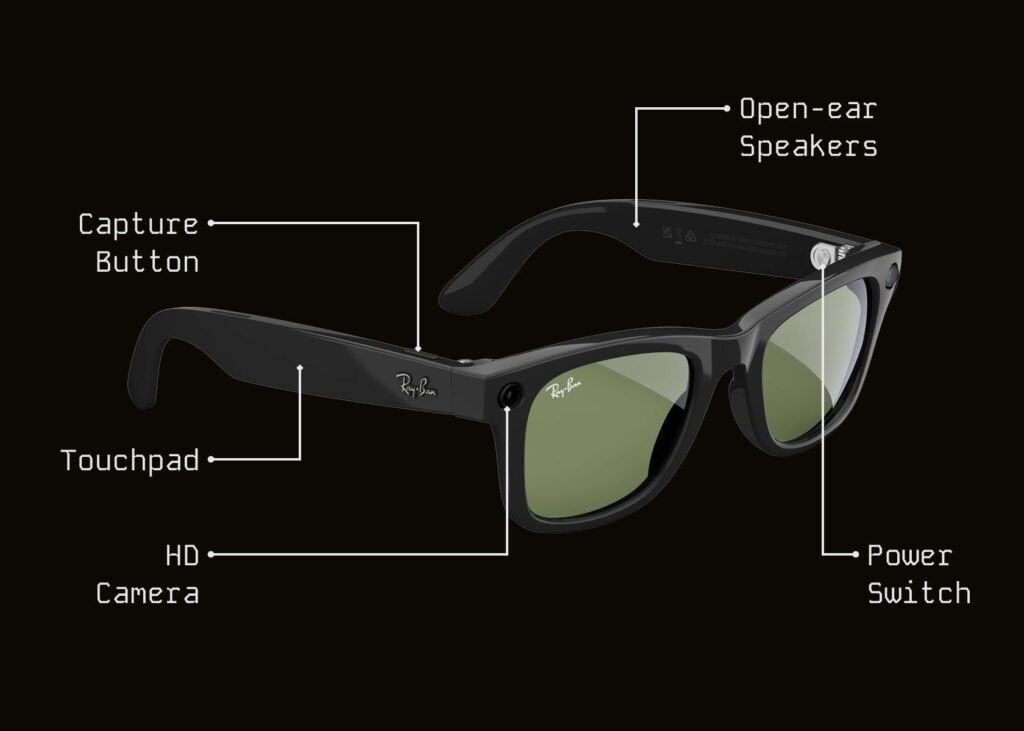
Apart from voice commands, the glasses also have touch controls.
- Tap: Play or pause music and control certain functions.
- Swipe: Adjust the volume.
- Touch and hold: Activate Meta AI.
- Physical button: Use the capture button to take photographs and record videos.
Practical use: You can operate the glasses quietly without speaking commands aloud.
12. Battery life and charging case

Battery life is an important consideration for smart glasses.
The second-generation Ray-Ban Meta glasses offer:
- Up to 8 hours of use on a single charge, depending on usage.
- An additional 48 hours of charging capacity through the charging case.
- Fast charging: Approximately 50% charge in 20 minutes.
- Portable charging: Carry the charging case while travelling.
Practical use: You can use the glasses throughout much of the day without continuously searching for a charging point.
13. Different designs and lens options
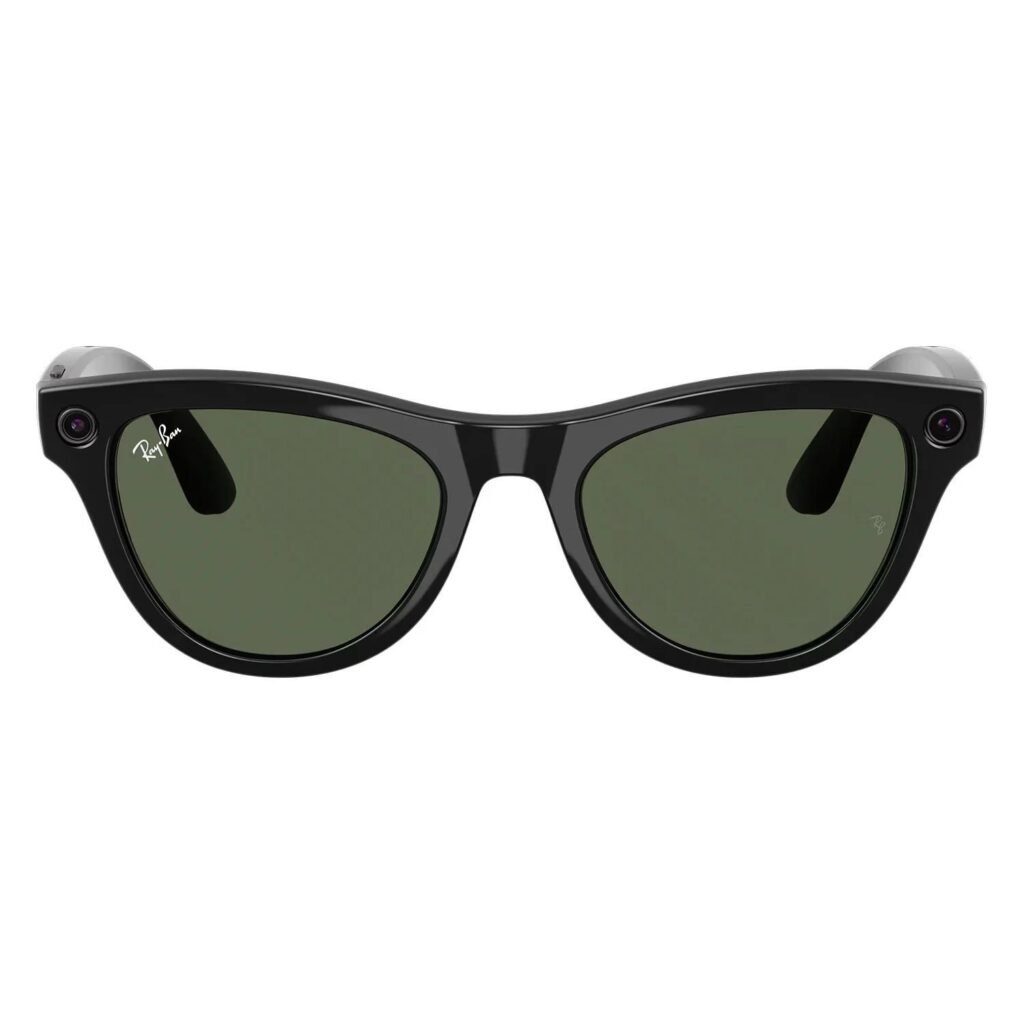
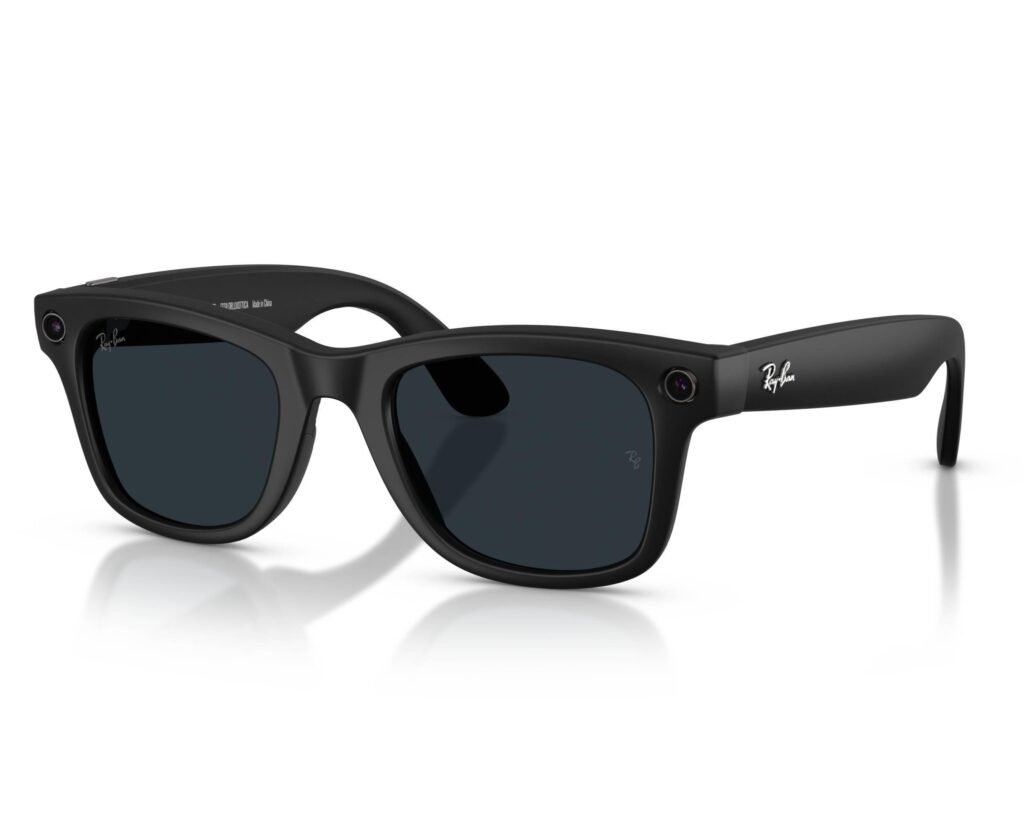
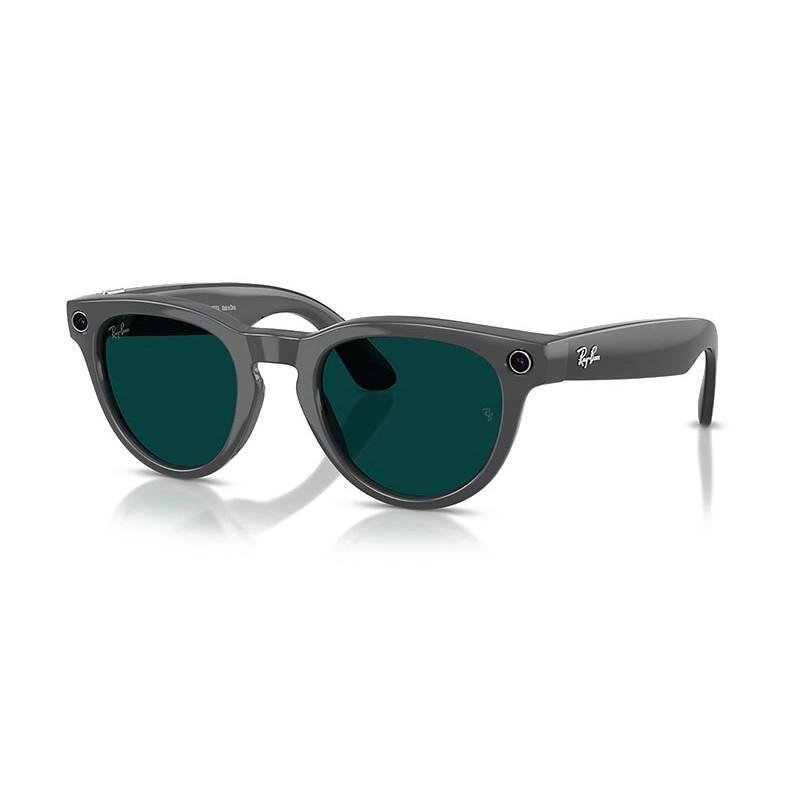
Ray-Ban has maintained its traditional fashionable appearance while incorporating smart technology.
Available options include:
- Wayfarer: Classic and popular sunglasses design.
- Headliner: A rounded and contemporary appearance.
- Skyler: A stylish alternative with a different frame shape.
- Transitions lenses: Lenses that adjust their darkness according to light conditions.
- Prescription options: Selected models are also available for people who require corrective lenses.
Practical use: You can wear them as regular sunglasses while enjoying their technological features.
14. Smartphone connectivity and storage
The glasses connect to your smartphone through Bluetooth and Wi-Fi.
- Companion application: The Meta AI app helps manage the glasses.
- Photo transfer: Transfer photographs and videos to your smartphone.
- Storage: Second-generation glasses provide 32 GB of internal storage.
- Device management: Manage settings, AI features and connected services.
- Software updates: Receive supported software and feature improvements.
Practical use: You can capture content using the glasses and later edit or share it using your smartphone.
15. Privacy and security features
Since these glasses have cameras and microphones, privacy is an important consideration.
- Recording indicator: An LED indicator lights up when photographs or videos are captured.
- Privacy settings: Manage certain AI and camera permissions through the companion app.
- Data processing: Some AI features send images to Meta’s cloud for processing.
- Responsible usage: Always respect people’s privacy before recording them.
Important: AI-processed photos may be stored and used to improve Meta products, subject to Meta’s applicable privacy policies and settings.
16. Important technical specifications
Here are some major specifications of the second-generation Ray-Ban Meta glasses.
| Feature | Specification |
| Camera | 12 MP ultra-wide |
| Video | Up to 3K at 30 FPS |
| Internal storage | 32 GB |
| Battery | Up to 8 hours |
| Charging case | Up to 48 additional hours |
| Connectivity | Bluetooth 5.3, Wi-Fi 6 |
| Speakers | Built-in open-ear speakers |
| Microphones | 5-microphone array |
| Water resistance | IPX4 |
17. Price and availability in India
Ray-Ban Meta Gen 2
₹39,900 onwards
Original announced starting price in India, December 2025
The Meta India store currently lists some Gen 2 models at ₹45,700.
One important point for Indian buyers: Not every Meta AI feature is available in every country. Availability can depend on your location, language, software version and internet connectivity. Check the feature support before purchasing.
18. What are the limitations?
Despite their impressive features, these glasses have some limitations.
- No conventional screen: Standard Ray-Ban Meta Gen 2 glasses do not have a display in front of your eyes. AI responses are generally delivered through audio.
- Internet dependency: Several AI functions require an internet connection.
- Battery limitations: Heavy camera and AI usage can reduce battery life.
- Privacy concerns: Recording people without their knowledge can create privacy issues.
- AI accuracy: Meta AI can sometimes provide incorrect or incomplete information.
- Regional restrictions: Certain advanced AI features may not work in India.
- Price: They are considerably more expensive than ordinary sunglasses.
Conclusion: Are Ray-Ban Meta AI glasses worth buying?
Ray-Ban Meta glasses combine traditional eyewear with modern artificial intelligence.
Their biggest advantages are hands-free photography, video recording, voice-based AI assistance, live translation, music playback and phone connectivity.
They can be particularly useful for travellers, bloggers, vloggers, content creators and people who enjoy experimenting with new technology.
However, remember that these are not complete replacements for smartphones. They are better understood as wearable AI assistants that make certain everyday activities easier and more convenient.
In my opinion, their most exciting feature is the ability to interact with artificial intelligence simply by looking at something and asking a question.
Imagine looking at an unfamiliar building and immediately asking your sunglasses to explain its history. That is the kind of experience these smart glasses are bringing into everyday life.