
How QR Codes Work
1. What a QR Code Actually Is
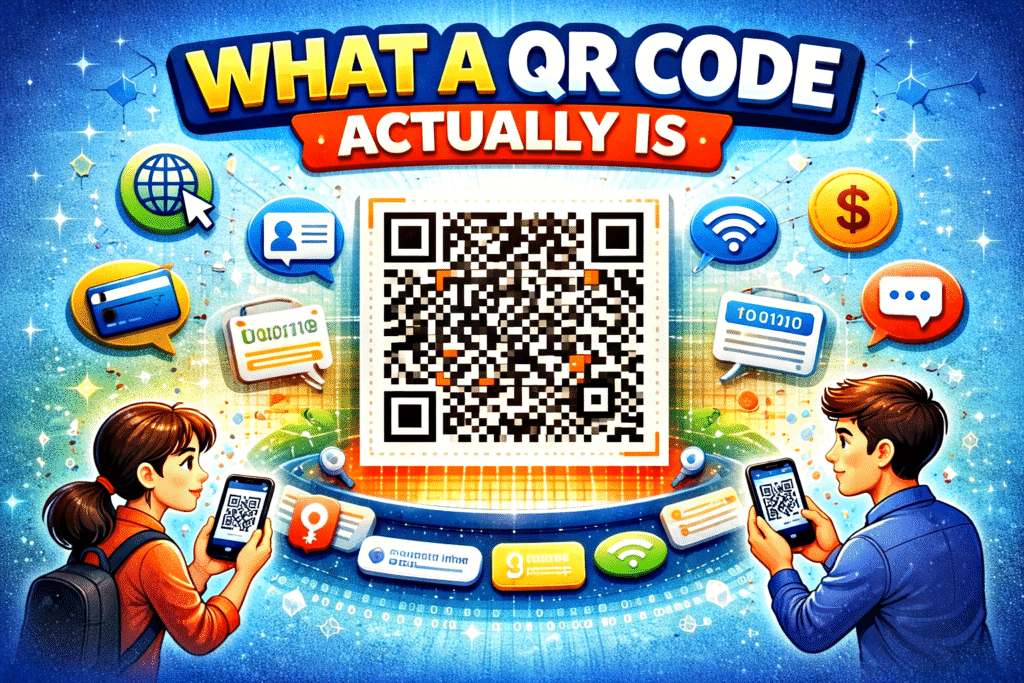
A QR code (Quick Response code) is a special type of barcode that stores information in a square grid of tiny black and white boxes. Unlike traditional barcodes (the ones you see on products in stores), QR codes can store much more data and can be scanned from any direction.
Think of a QR code like a digital shortcut. Instead of typing a long website link, phone number, or message, you simply scan the QR code and your phone instantly understands what to do.
For example, a QR code can store:
- A website URL
- Contact details
- Wi-Fi passwords
- Payment information
- Text messages
Each small square inside the QR code is called a module, and together they form a pattern that represents encoded data.
What makes QR codes powerful is their ability to store information in a compact and machine-readable format. To a human, it looks like random squares—but to a scanner, it’s a structured data map.
2. How Information Is Stored Inside a QR Code
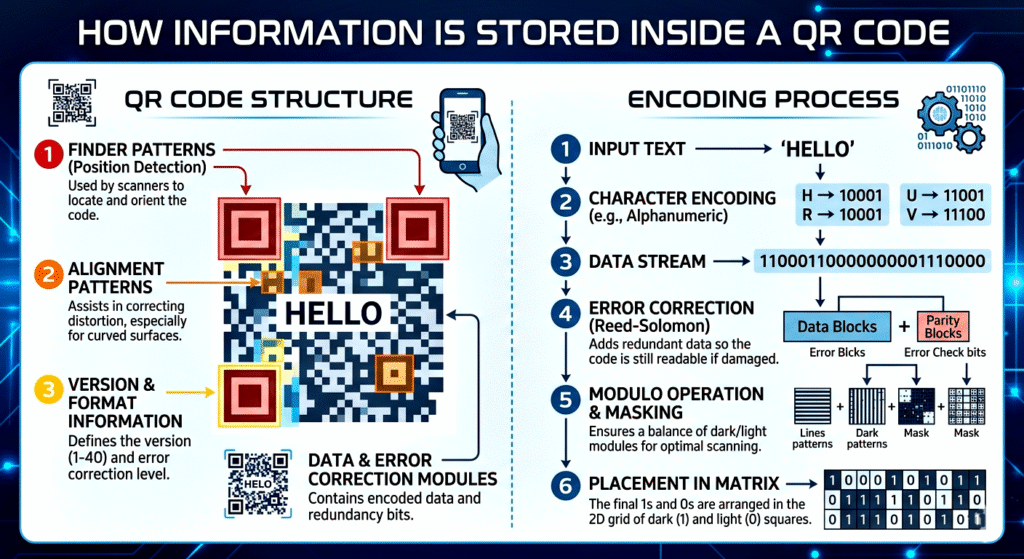
QR codes store information using binary data, which is the same language computers use (0s and 1s).
Here’s how it works in simple terms:
- The data (like a URL) is converted into binary numbers.
- These binary numbers are arranged into patterns.
- The pattern is displayed as black and white squares.
- Black squares represent “1”
- White squares represent “0”
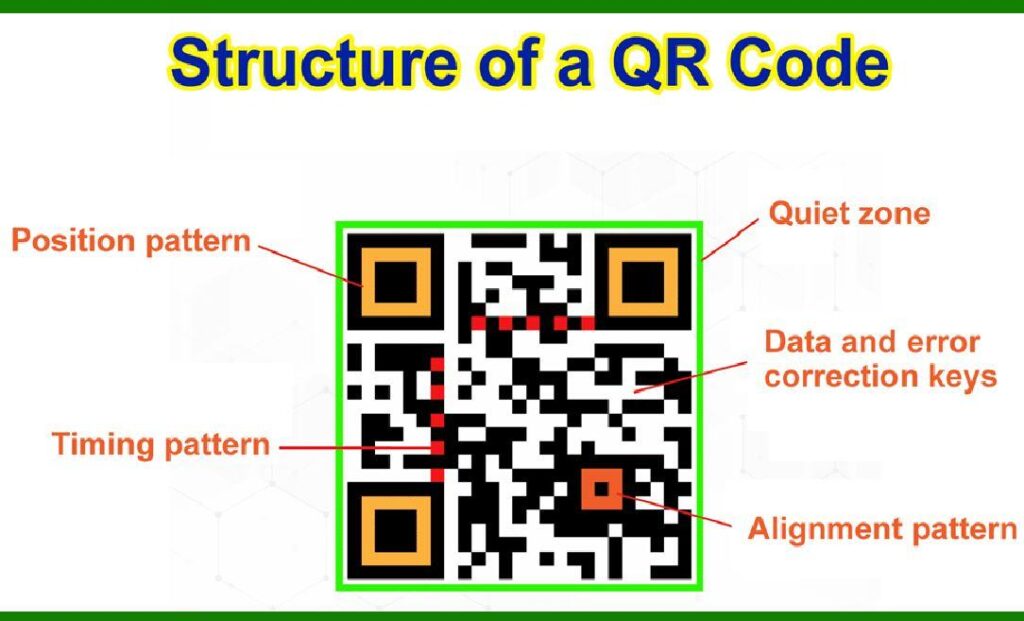
But it’s not just random placement. The QR code follows a specific structure, including:
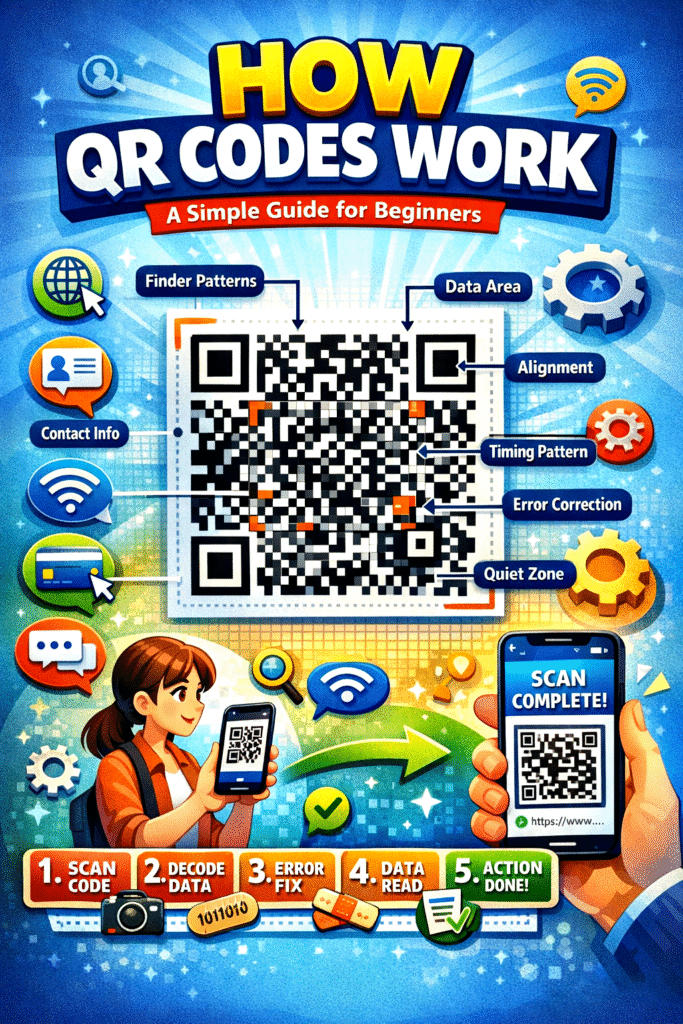
- Position markers (big squares in corners): Help the scanner detect the QR code and its orientation.
- Alignment patterns: Ensure accurate reading even if the code is slightly distorted.
- Timing patterns: Help determine the size of the data grid.
- Data area: Where the actual information is stored.
So, every QR code is like a carefully designed puzzle that a scanner can quickly solve.
3. How Your Phone Scans and Reads a QR Code
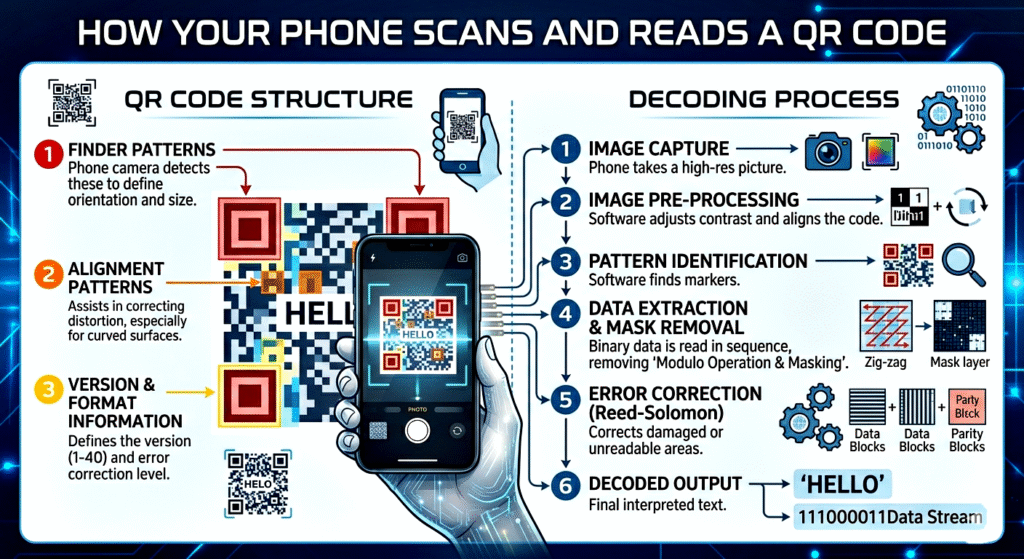
When you scan a QR code using your smartphone camera, a lot happens in just a fraction of a second.
Here’s the step-by-step process:
Step 1: Detection
Your camera detects the QR code using the three large squares at the corners. These help the phone understand:
- Where the QR code is
- How it is rotated
Step 2: Alignment
Even if the QR code is tilted or slightly damaged, the scanner adjusts the image using the alignment patterns.
Step 3: Decoding
The scanner reads the pattern of black and white squares and converts them back into binary data (0s and 1s).
Step 4: Interpretation
The binary data is then translated into meaningful information, like:
- A website link
- A phone number
- A text message
Step 5: Action
Finally, your phone performs an action, such as:
- Opening a website
- Saving a contact
- Connecting to Wi-Fi
All of this happens almost instantly, which is why QR codes feel so fast and convenient.
4. Error Correction: Why QR Codes Still Work Even When Damaged
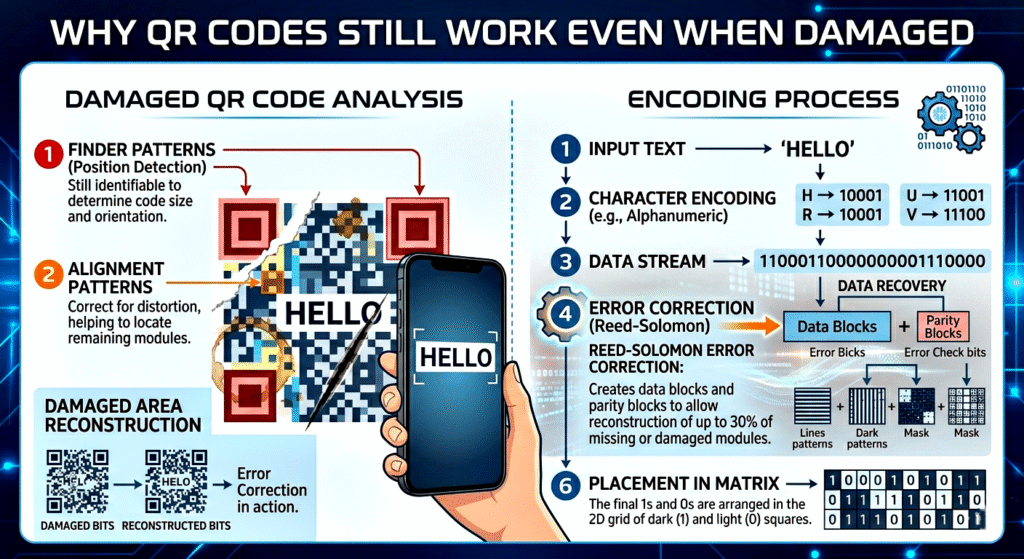
One of the most impressive features of QR codes is their error correction ability.
Even if part of the QR code is:
- Scratched
- Dirty
- Covered
- Slightly torn
…it can still work!
This is because QR codes use something called Reed-Solomon error correction (a mathematical method, but don’t worry about the name). It basically means the code stores extra backup data.
There are different levels of error correction:
- Low (L): Recovers about 7% of data
- Medium (M): Recovers about 15%
- Quartile (Q): Recovers about 25%
- High (H): Recovers about 30%
This is why you sometimes see QR codes with logos in the center—the missing part is compensated by error correction.
In simple terms:
👉 QR codes are designed to be forgiving, so they still work even in imperfect conditions.
5. What Happens After You Scan a QR Code
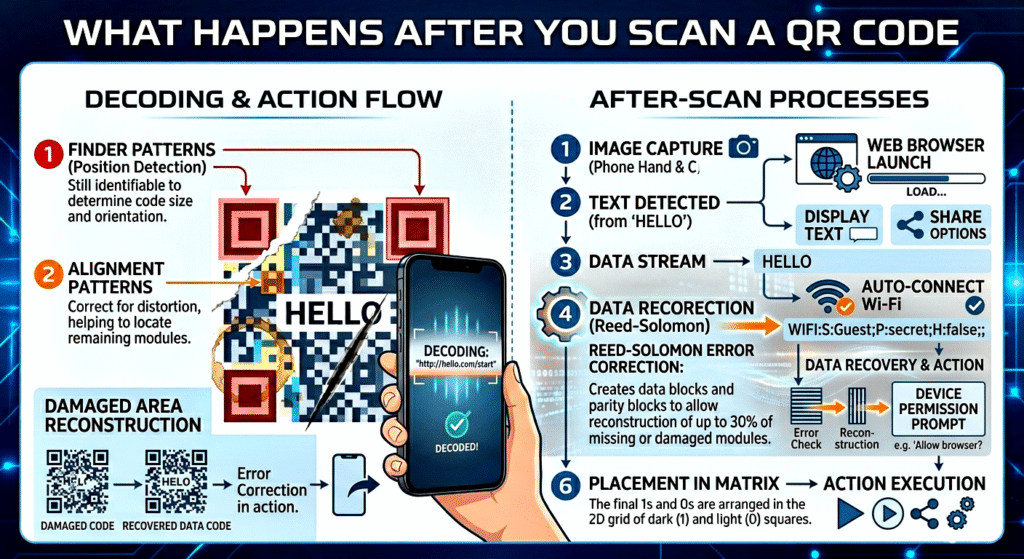
Once the QR code is decoded, your device takes action based on the type of data stored.
Here are some common examples:
🌐 Website QR Codes
- Opens a webpage in your browser
📞 Contact QR Codes
- Saves a phone number or contact details
📶 Wi-Fi QR Codes
- Automatically connects to a Wi-Fi network
💳 Payment QR Codes
- Opens a payment app and fills in details
📝 Text QR Codes
- Displays a message or note
Your phone decides what to do based on the data format inside the QR code. This makes QR codes extremely versatile and widely used in everyday life.
Conclusion
🧠 Final Understanding
To summarise everything simply:
- A QR code is a visual way of storing digital information
- It converts data into black and white square patterns
- Your phone scans and decodes the pattern instantly
- Built-in error correction ensures reliability
- It triggers an action like opening a link or making a payment
🚀 Why QR Codes Are So Popular Today
QR codes have become very popular because they are:
- Fast – Instant access to information
- Contactless – No need to touch anything
- Easy to use – Just scan with your camera
- Versatile – Used in payments, marketing, education, and more
- Low-cost – Easy to generate and print
You probably use QR codes daily without even realising it—like when making payments, ordering food, or logging into apps.